
Welcome to the React Native Text Watcher extension! This extension helps you catch a common mistake in React Native development by providing warnings when text strings are not wrapped within a <Text> component.

- 📐 Accurate JSX Parsing: Precisely identifies JSX portions in your code.
⚠️ Text Wrapping Warnings: Get warnings when you don't wrap text strings within a<Text>component.- 🛞 Custom Text Components: Supress warnings for your custom text components.
- 🔍 Smart Detection: Warns you in most cases except for function calls that return strings or string variables.
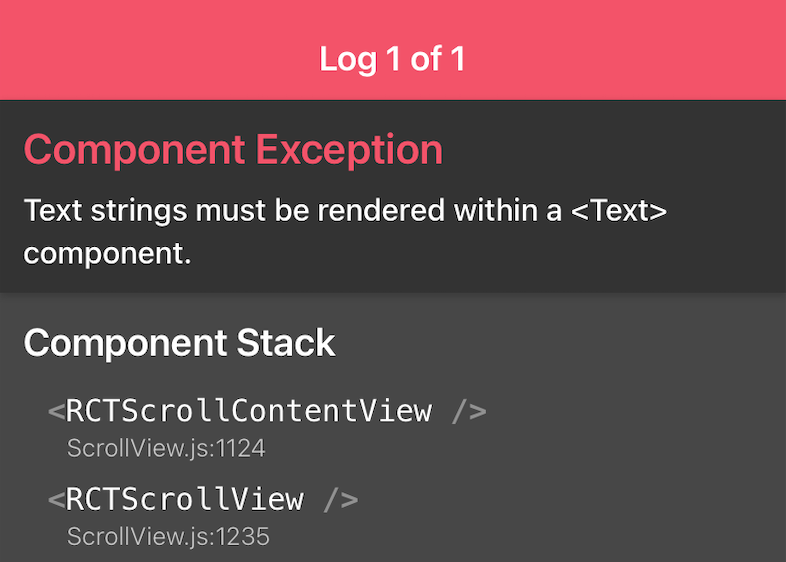
| Problem | Prevention to the Problem |
|---|---|
 |
 |
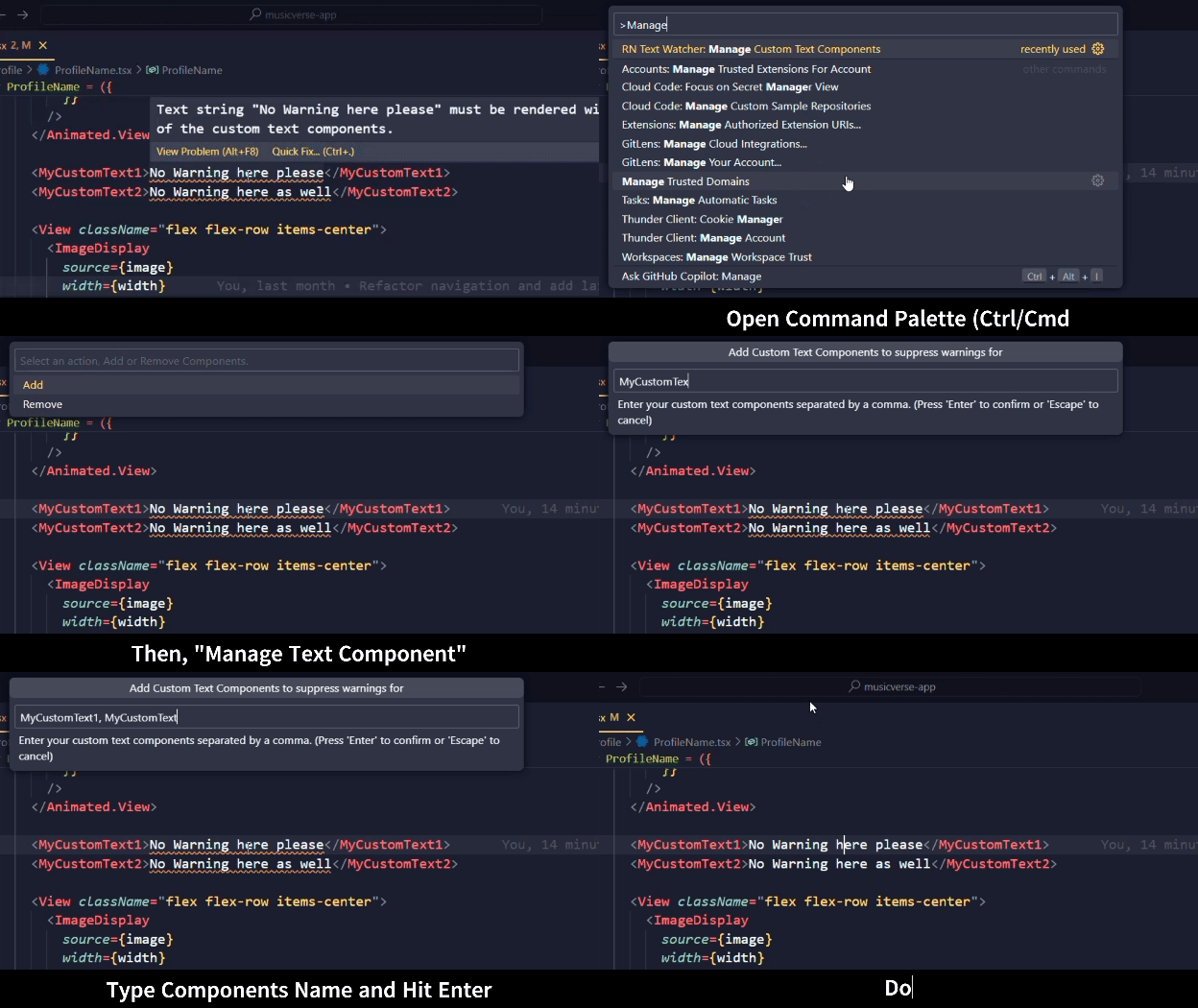
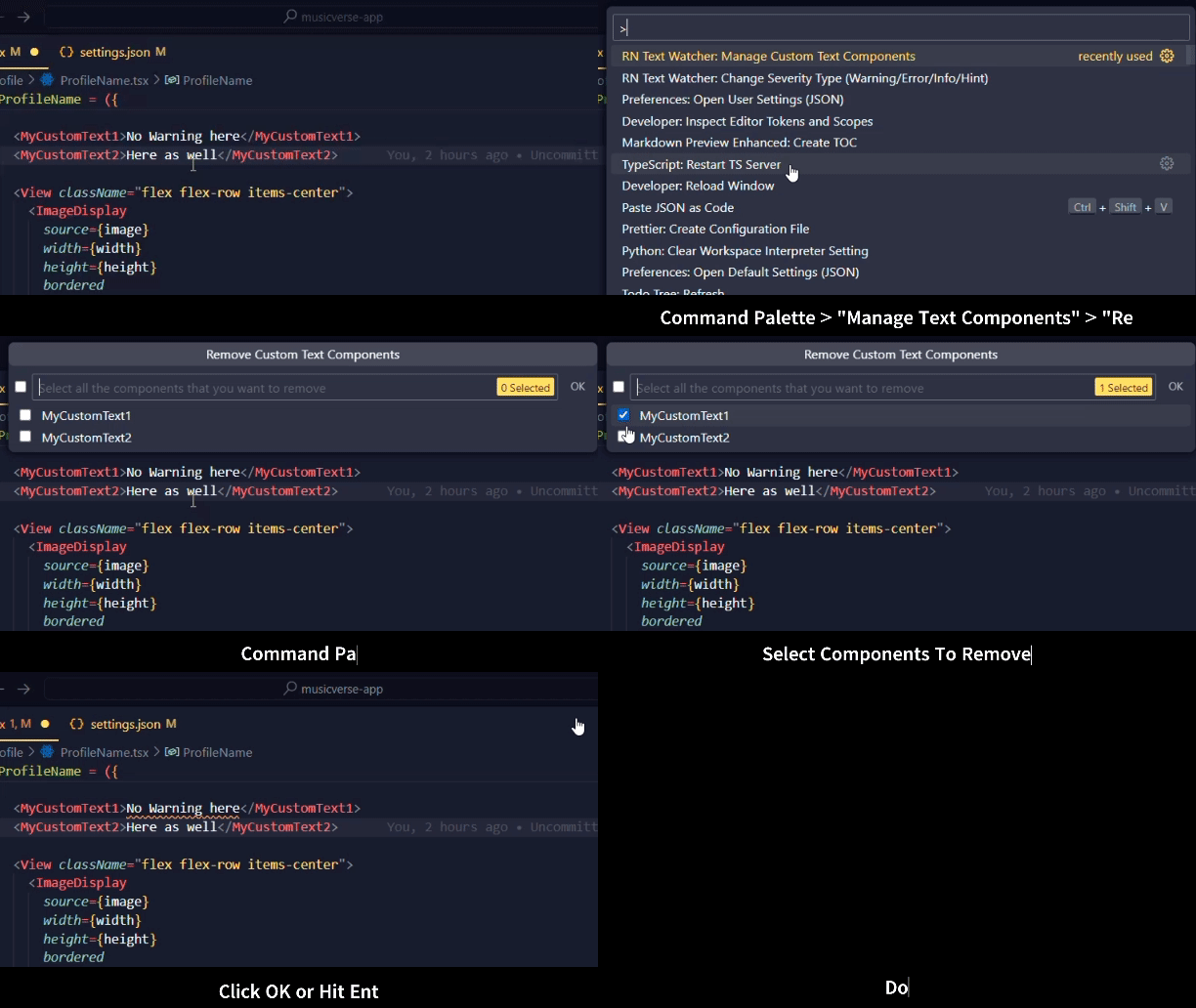
| Adding Custom Text Components | Removing Custom Text Component |
|---|---|
 |
 |
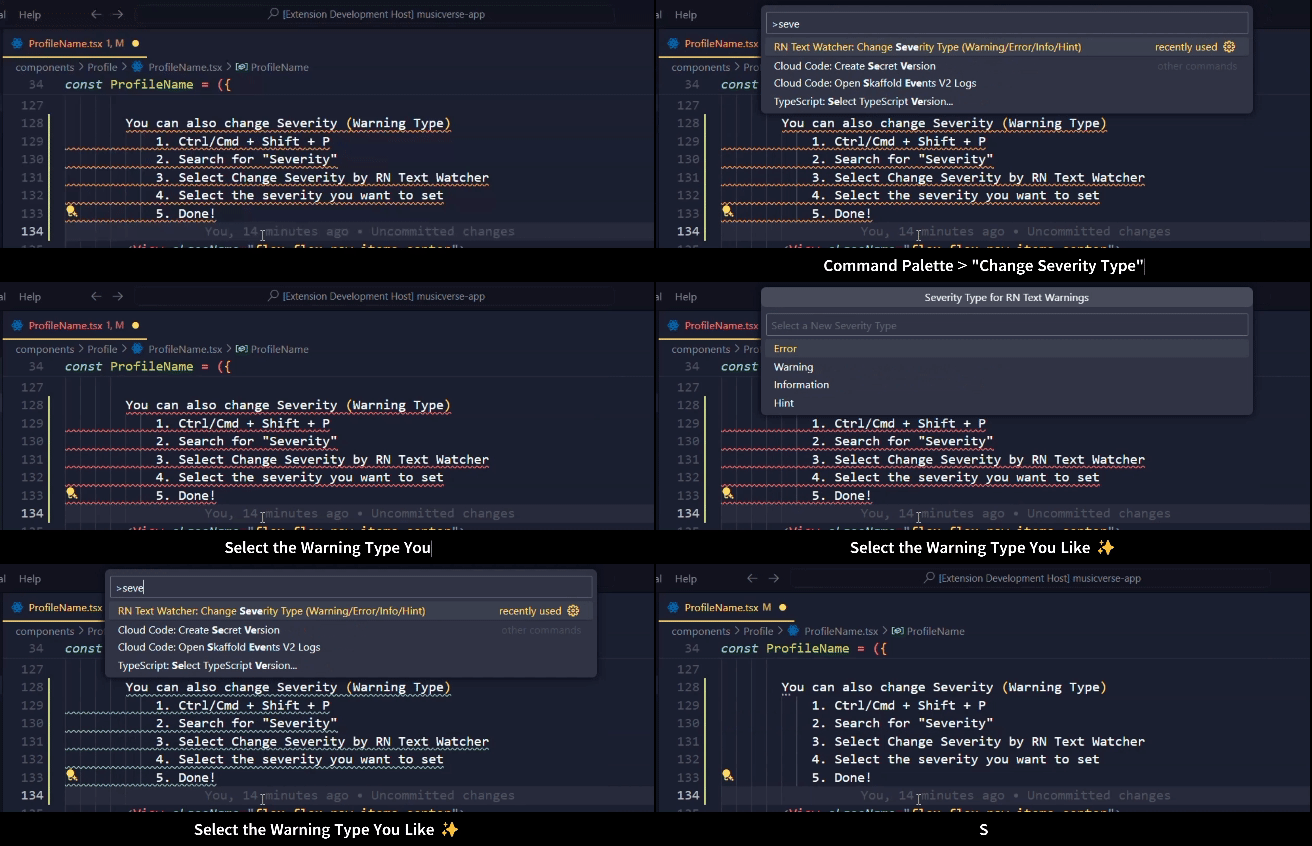
| Change Severity (Warning) Type | Manual Configuration (.vscode/settings.json) |
|---|---|
 |
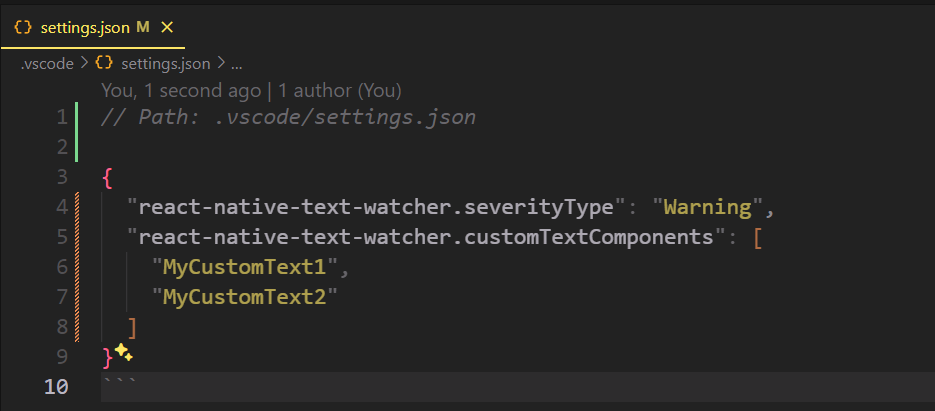 |
- A project with
react-nativeinpackage.jsondependencies. - The extension activates only for
.tsxand.jsxfiles. - TypeScript Installed in your
node_modules.
This extension contributes the following settings:
reactNativeTextWatcher.enable: Enable/disable this extension.react-native-text.changeSeverityType: Set the severity of the warnings:Error,Warning,Information,Hint(default:Warning).react-native-text.manageTextComponents: An array of Component Name that you want to supress text warnings for (default:Text).
- Does not currently warn for function calls that return strings or string variables.
- NEW: This version only works if you have TypeScript installed as
devDependencies. - Works on mono-repos, the extension will activate when for the first project folder that has
react-nativeandtypescript. - Super Lightweight, Extension Size is not 782KiB Only, Reduced by 86.83% 🚀
- Fix: Issue with unwanted warn on conditional text string.
- Excluded unnecessary files from the extension (Reduced Size).
- Specify custom text components to supress text warnings for.
- Change severity type of warnings ie.
Error,Warning,Information,Hint.
- Initial release of React Native Text Watcher.
- Improved JSX parsing accuracy.
- Enhanced warning messages.
- 🚀 Function Call Detection: Introduce the ability to warn on function calls that return strings or string variables.
I am fairly new to React Native. I somehow managed to build a music app using React Native for my final year project. During that period, I often encountered this error: "Text strings must be rendered within a <Text> component."
It wasn't a serious error, but it was definitely annoying when I forgot to wrap a text with the <Text> component. That error screen with the red header was a constant source of frustration.
So, I came up with this small VS Code extension, React Native Text Watcher. It's not complete but offers a good enough solution to give you warnings in obvious cases.
I'm open to collaboration! If you have any ideas or improvements, feel free to contribute.
Enjoy! 🎉