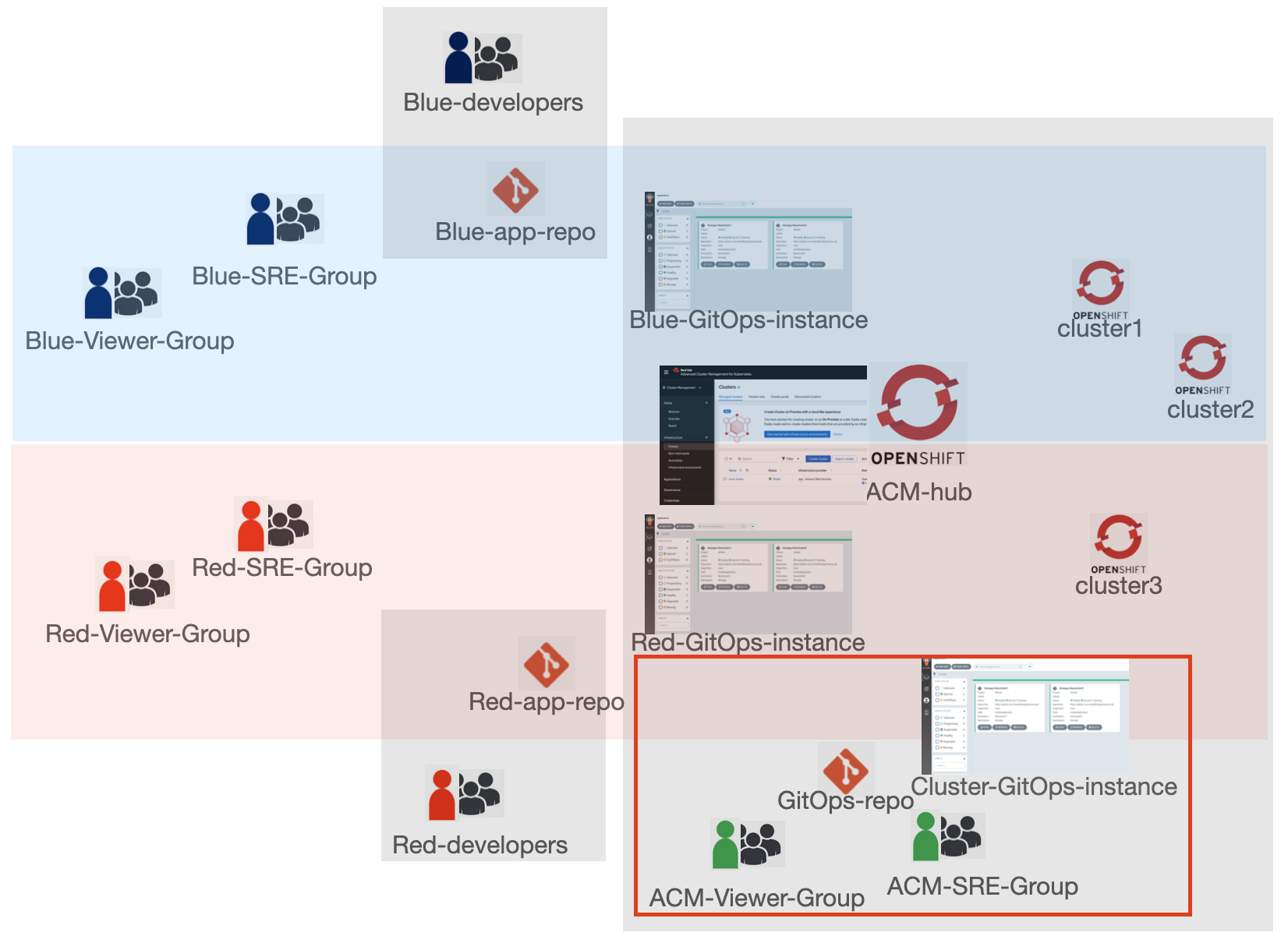
This repo provides an example to configure cluster-as-a-service multi-tenancy model using Red Hat Advanced Cluster Management and OpenShift GitOps operator.
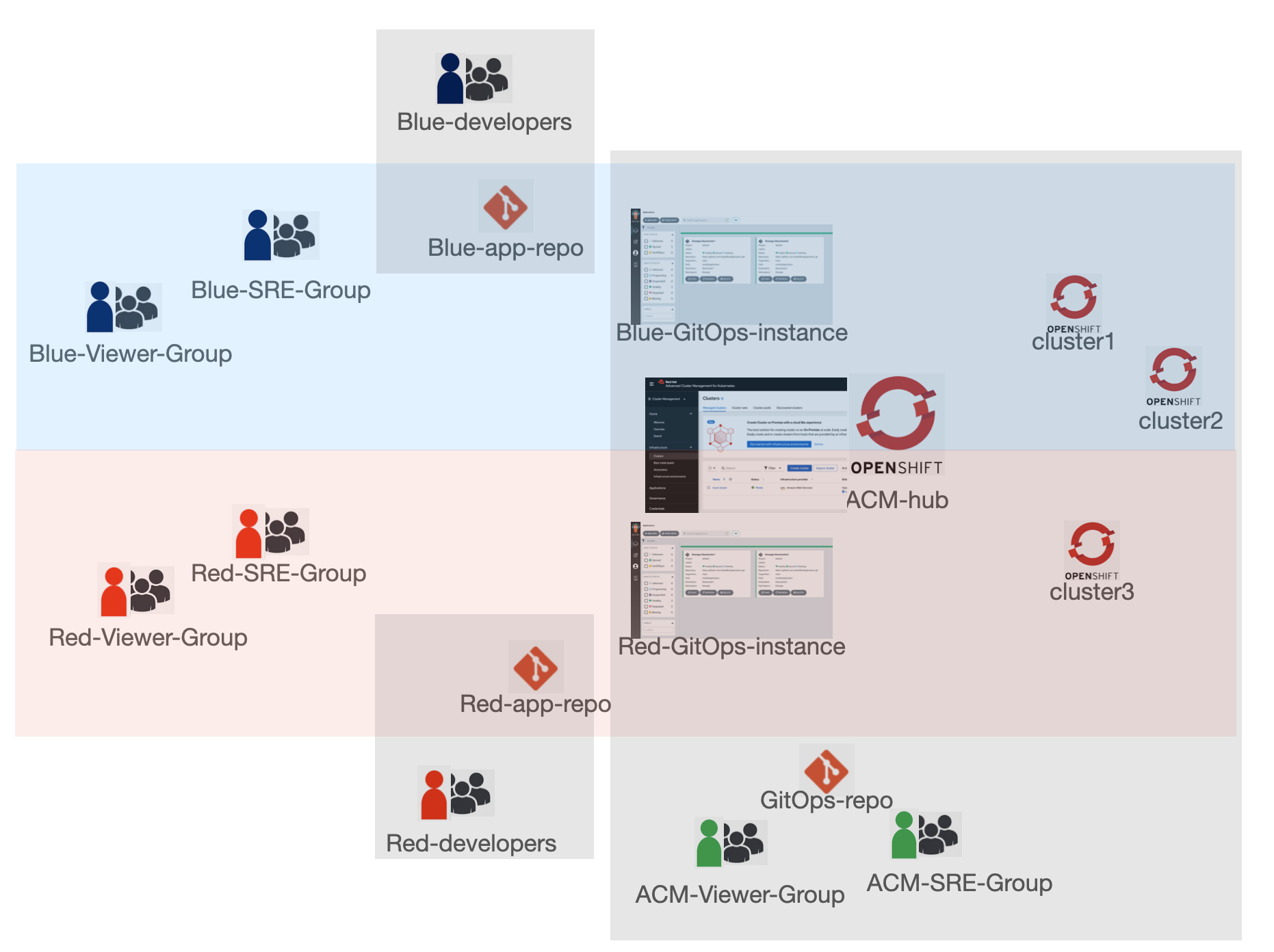
Blue group of users and red group of users share the ACM hub cluster but have access to their own namespaces to manage and view their applications. Each group has separate set of managed clusters where applications are deployed to. ACM group of users has access to both groups' applications and all managed clusters. The application developers pushes application manifests to their Git repos but do not have access to the cluster environment. ACM, blue and red SRE group users can set up GitOps to deploy the applications from Git repos to clusters using OpenShift GitOps ApplicationSets.
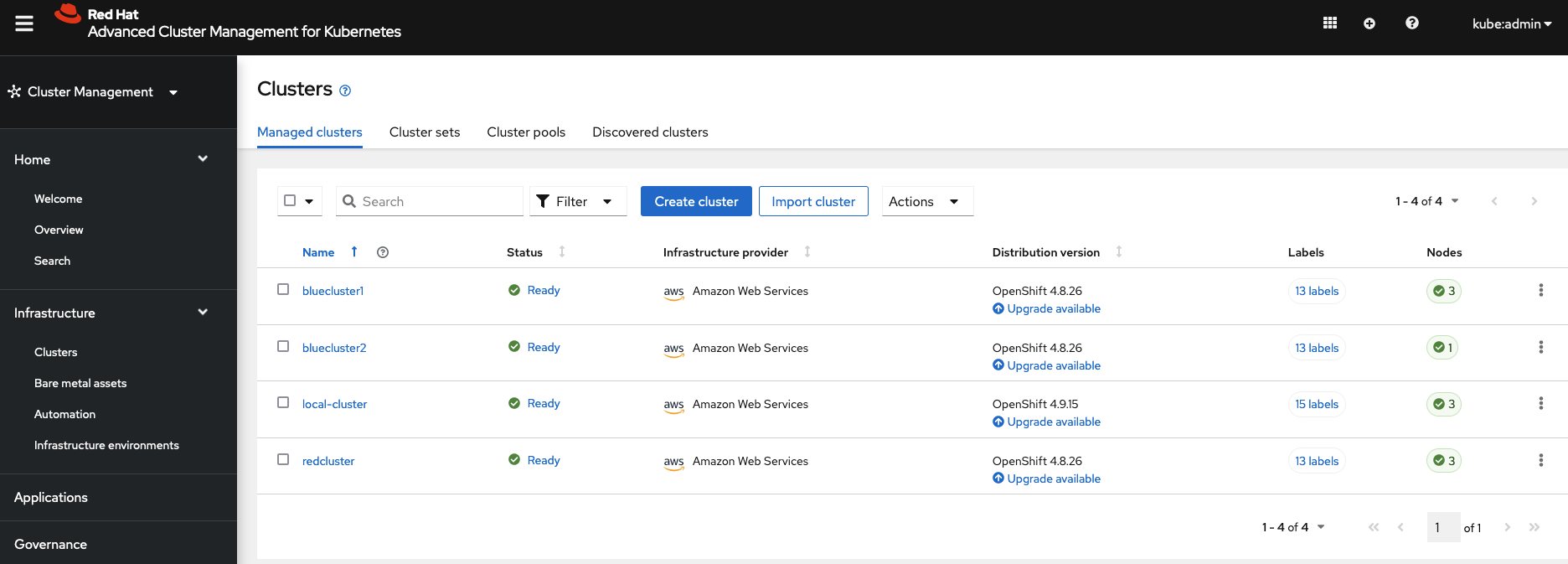
- ACM hub cluster
- Three managed clusters:
bluecluster1,bluecluster2,redcluster
-
Clone this repo.
-
Log into ACM hub cluster via CLI and create blue, red and ACM SRE and viewer groups and users.
oc create secret generic htpass-secret --from-file=htpasswd=./UsersGroups/htpasswd -n openshift-config
oc apply -f ./UsersGroups/htpasswd.yaml
oc apply -f ./UsersGroups/users.yaml
oc apply -f ./UsersGroups/groups.yaml

-
Grant ACM groups cluster-wide access.
a. Grant
acm-sre-groupgroup admin access cluster-wide. Log into OCP console and go toUser managementGroupsacm-sre-group. Go toRole bindingtab and create a binding. TypeCluster-wide role binding, role binding nameacm-sre-group, role namecluster-adminb. Grant
acm-viewer-groupgroup view access cluster-wide. Log into OCP console and go toUser managementGroupsacm-viewer-group. Go toRole bindingtab and create a binding. TypeCluster-wide role binding, role binding nameacm-viewer-group, role nameview -
Log into ACM console as an ACM SRE user and create
blueclustersetcluster set. Addbluecluster1andbluecluster2clusters to the cluster set. -
Create
redclustersetcluster set. Addredclustercluster to the cluster set. -
In
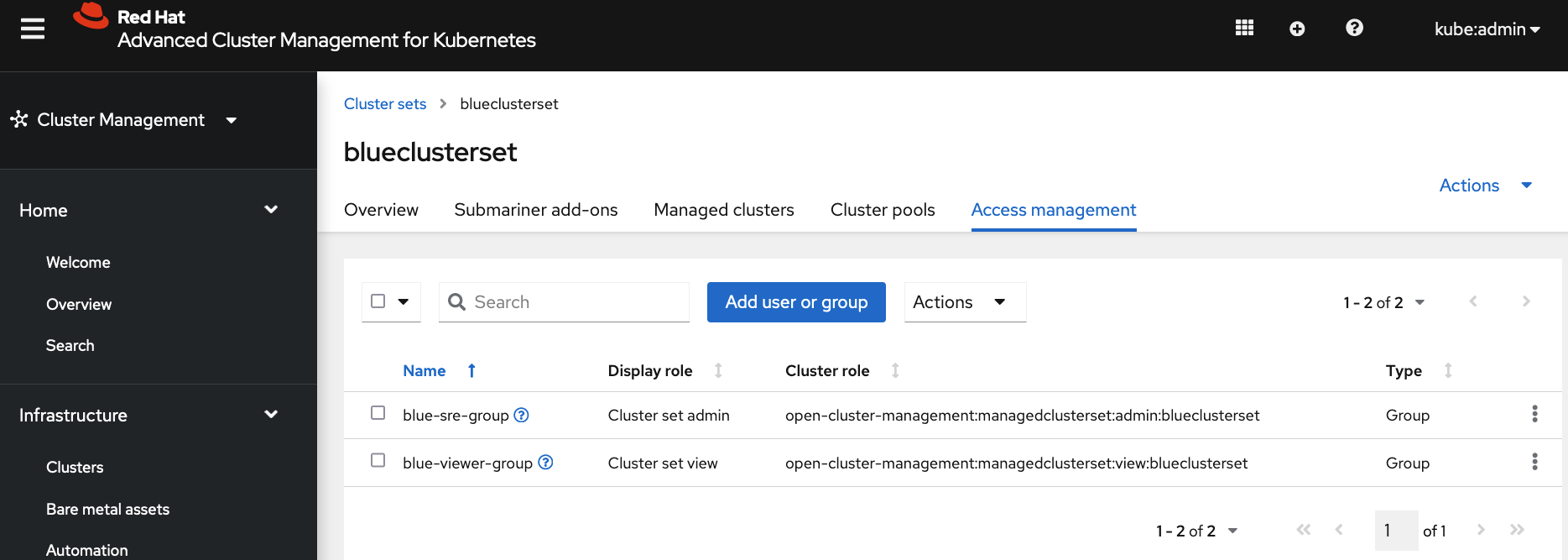
blueclustersetcluster set, go toAccess managementtab.a. Add
blue-sre-groupgroup withCluster set adminrole. This grantsblue-sre-groupgroup admin access tobluecluster1andbluecluster2managed cluster namespaces on ACM hub. This also allows the group admin access to all resources that ACM finds from the remote managed clusters. b. Addblue-viewer-groupgroup withCluster set viewrole. This grantsblue-viewer-groupgroup view access tobluecluster1andbluecluster2managed cluster namespaces on ACM hub. This also allows the group view access to all resources that ACM finds from the remote managed clusters.
-
In
redclustersetcluster set, go toAccess managementtab.a. Add
red-sre-groupgroup withCluster set adminrole. This grantsred-sre-groupgroup admin access toredclustermanaged cluster namespace on ACM hub. This also allows the group admin access to all resources that ACM finds from the remote managed cluster. b. Addred-viewer-groupgroup withCluster set viewrole. This grantsred-viewer-groupgroup view access toredclustermanaged cluster namespace on ACM hub. This also allows the group view access to all resources that ACM finds from the remote managed cluster.

- Install
Red Hat OpenShift GitOpsoperator and wait until all pods inopenshift-gitopsnamespace are running.
oc apply -f ./AcmPolicies/InstallGitOpsOperator
- Run the following command to create one ArgoCD server instance for the blue group in
blueargocdnamespace and another instance for the red group inredargocdnamespace. Wait until all pods are running inblueargocdandredargocdnamespaces. Also check thatapplicationset-controlleranddex-serverpods are running.
oc apply -f ./AcmPolicies/ArgoCDInstances
Note: Red Hat OpenShift GitOps operator does not need to be installed on managed clusters because we are going to use ApplicationSet from the hub cluster to push applications to managed clusters. The ArgoCD server instance running on the hub cluster connects to target remote clusters to deploy applications defined in the ApplicationSet.
- Register
blueclustersetcluster set toblueargocdArgoCD instance so that ArgoCD can deploy applications to the clusters inblueclustersetcluster set. Registerredclustersetcluster set toredargocdArgoCD instance so that ArgoCD can deploy applications to the clusters inredclustersetcluster set.
oc apply -f ./AcmPolicies/RegisterClustersToArgoCDInstances
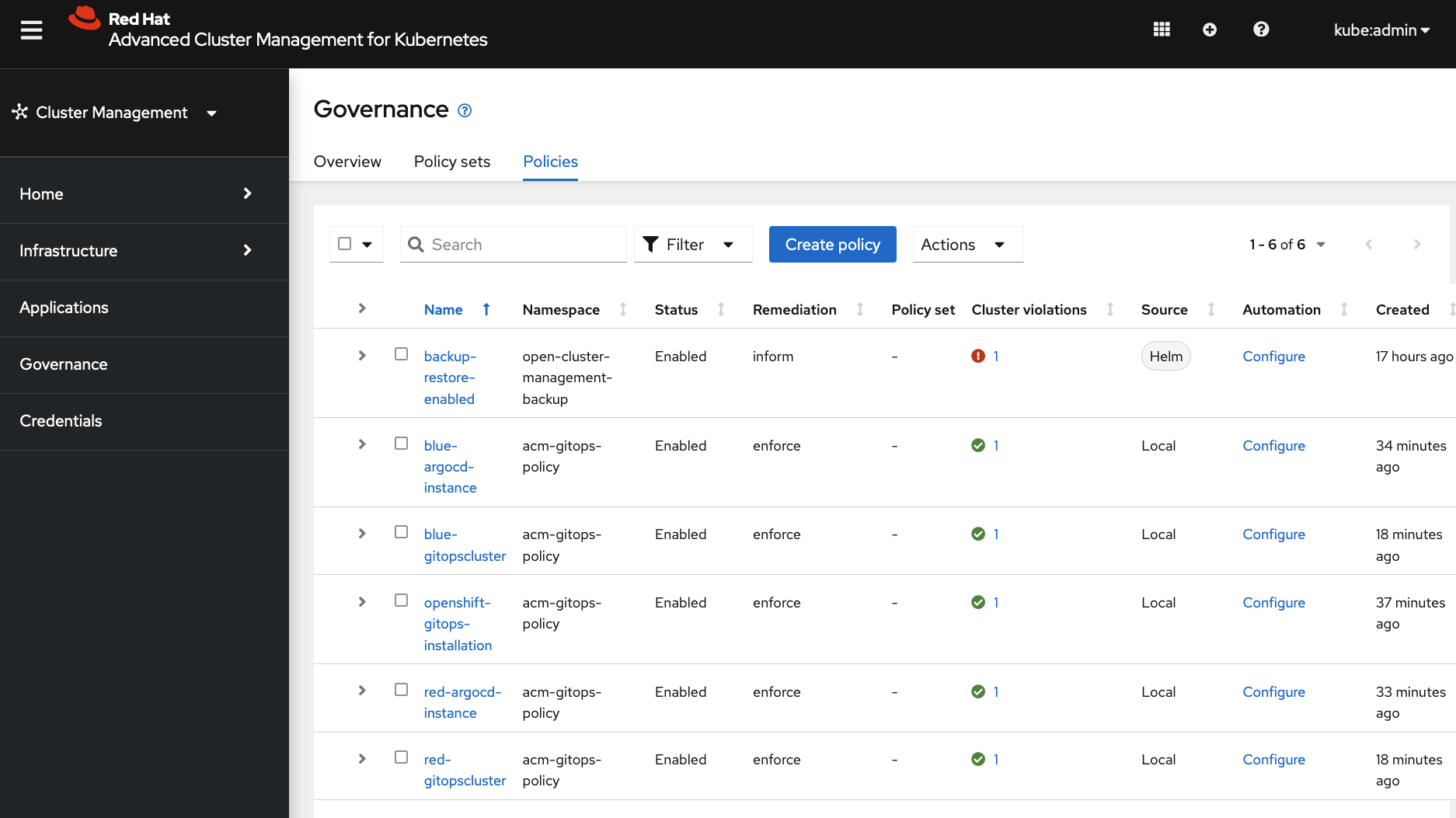
These operator installation and instance creations are enforced by ACM governance policies.
-
All blue applications are in
blueargocdnamespace.a. Grant
blue-sre-groupgroup admin access toblueargocdnamespace. Log into OCP console and go toUser managementGroupsblue-sre-group. Go toRole bindingtab and create a binding. TypeNamespace role binding, role binding nameblue-sre-group, namespaceblueargocd, role nameadminb. Grant
blue-viewer-groupgroup view access toblueargocdnamespace. Log into OCP console and go toUser managementGroupsblue-viewer-group. Go toRole bindingtab and create a binding. TypeNamespace role binding, role binding nameblue-viewer-group, namespaceblueargocd, role nameview -
All red applications are in
redargocdnamespace.a. Grant
red-sre-groupgroup admin access toredargocdnamespace. All blue applications are created in this namespace. Log into OCP console and go toUser managementGroupsred-sre-group. Go toRole bindingtab and create a binding. TypeNamespace role binding, role binding namered-sre-group, namespaceredargocd, role nameadminb. Grant
red-viewer-groupgroup view access toredargocdnamespace. Log into OCP console and go toUser managementGroupsred-viewer-group. Go toRole bindingtab and create a binding. TypeNamespace role binding, role binding namered-viewer-group, namespaceredargocd, role nameview -
Edit the blue ArgoCD instance's RBAC to grant
blue-sre-groupacm-sre-groupadmin access andblue-viewer-groupacm-viewer-groupread-only access.
oc edit configmap argocd-rbac-cm -n blueargocd
data:
  policy.csv: |
    g, acm-sre-group, role:admin
    g, acm-viewer-group, role:readonly
    g, blue-sre-group, role:admin
    g, blue-viewer-group, role:readonly
  policy.default: role:''
  scopes: '[groups]'
- Edit the red ArgoCD instance's RBAC to grant
red-sre-groupacm-sre-groupadmin access andred-viewer-groupacm-viewer-groupread-only access.
oc edit configmap argocd-rbac-cm -n redargocd
data:
  policy.csv: |
    g, acm-sre-group, role:admin
    g, acm-viewer-group, role:readonly
    g, red-sre-group, role:admin
    g, red-viewer-group, role:readonly
  policy.default: role:''
  scopes: '[groups]'
- Use the following command to find the blue ArgoCD console URL. Since OpenShift OAuth dex is enabled in ArgoCD instance, you can ACM or blue group users defined in OCP can log into this ArgoCD instance.
oc get route blueargocd-server -n blueargocd
- Use the following command to find the blue ArgoCD console URL. Since OpenShift OAuth dex is enabled in ArgoCD instance, you can ACM or red group users defined in OCP can log into this ArgoCD instance.
oc get route redargocd-server -n redargocd
GitOpsification: The above steps can be translated to manifest YAMLs with ArgoCD sync-wave and pushed to a Git repository. Then ACM-SRE user can use the default OpenShift GitOps operator (ArgoCD) instance in openshift-gitops namespace, which comes from the GitOps operator installation, to deploy the Git repo as an Argo application to the hub cluster.
Log into the blue and red ArgoCD consoles and create application to verify that the managed clusters are listed as application destination.
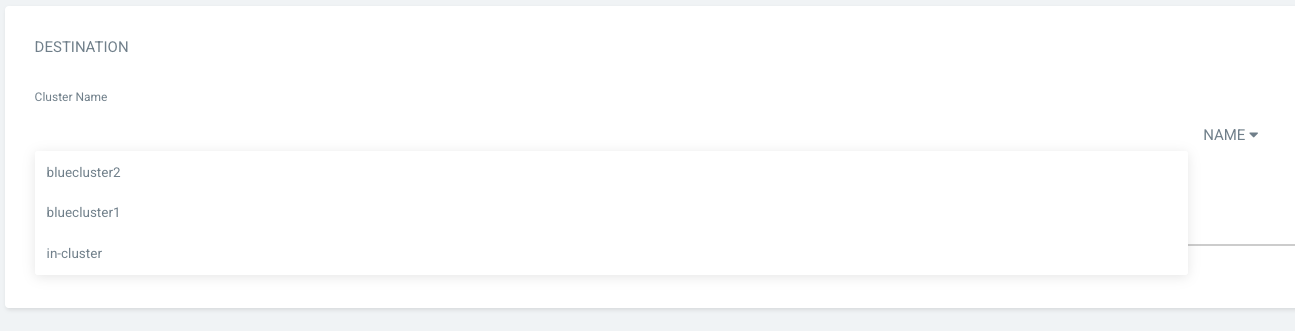
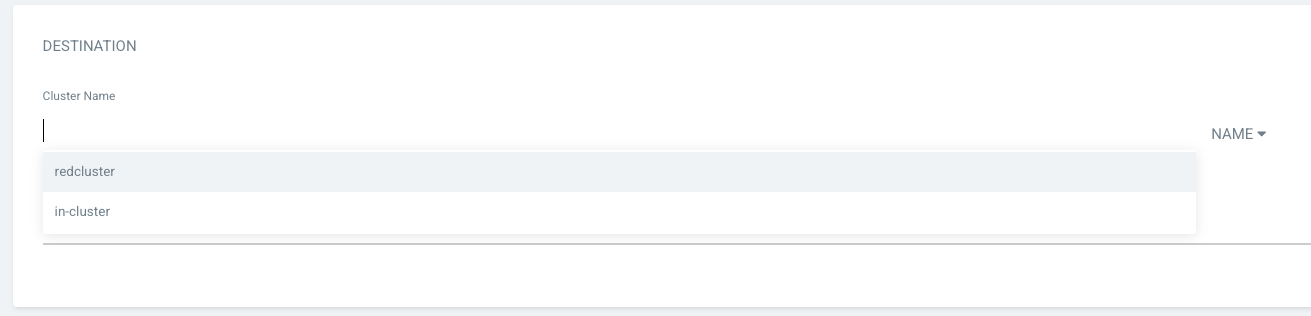
Now everything is set up! Let's try to create some applications with different users and see what happens. The ./ApplicationSets/blueappset.yaml creates an ApplicationSet that deploys https://github.com/rokej/BlueApplications/tree/main/mobileApplication application to those two remote blue clusters.
    - clusterDecisionResource:
        configMapRef: acm-placement
        labelSelector:
          matchLabels:
            cluster.open-cluster-management.io/placement: blue-placement
This cluster decision section of the application set uses existing blue-placement that was created by step 10. When step 10 creates a Placement CR, the placement controller evaluates and creates a PlacementDecision CR with cluster.open-cluster-management.io/placement: blue-placement label. PlacementDecision contains a list of selected clusters.
If oc apply -f ./ApplicationSets to try to create application sets to deploy applications, you should see errors like below because viewers have read-only view access to the application namespace blueargocd or redargocd.
Error from server (Forbidden): error when creating "ApplicationSets/blueappset.yaml": applicationsets.argoproj.io is forbidden: User "blueviewer1" cannot create resource "applicationsets" in API group "argoproj.io" in the namespace "blueargocd"
Error from server (Forbidden): error when retrieving current configuration of:
Resource: "argoproj.io/v1alpha1, Resource=applicationsets", GroupVersionKind: "argoproj.io/v1alpha1, Kind=ApplicationSet"
Name: "galaga-application-set", Namespace: "redargocd"
from server for: "ApplicationSets/redappset.yaml": applicationsets.argoproj.io "galaga-application-set" is forbidden: User "blueviewer1" cannot get resource "applicationsets" in API group "argoproj.io" in the namespace "redargocd"
If oc apply -f ./ApplicationSets to try to create application sets to deploy applications, you should see output like below because the bluw SRE user has admin access to blueargocd applicaiton namespace but no access to redargocd application namespace.
applicationset.argoproj.io/mobile-application-set created
Error from server (Forbidden): error when retrieving current configuration of:
Resource: "argoproj.io/v1alpha1, Resource=applicationsets", GroupVersionKind: "argoproj.io/v1alpha1, Kind=ApplicationSet"
Name: "galaga-application-set", Namespace: "redargocd"
from server for: "ApplicationSets/redappset.yaml": applicationsets.argoproj.io "galaga-application-set" is forbidden: User "bluesre1" cannot get resource "applicationsets" in API group "argoproj.io" in the namespace "redargocd"
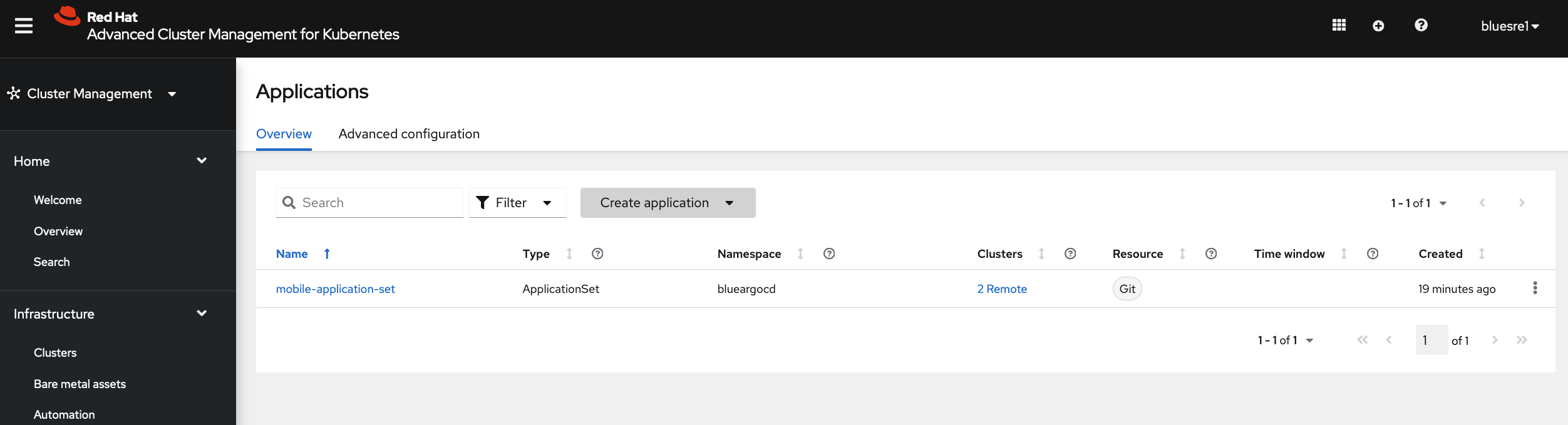
The following screenshots shows that blue group users can visualize and manage only blue applications
and red group users can visualize and manage only red applications
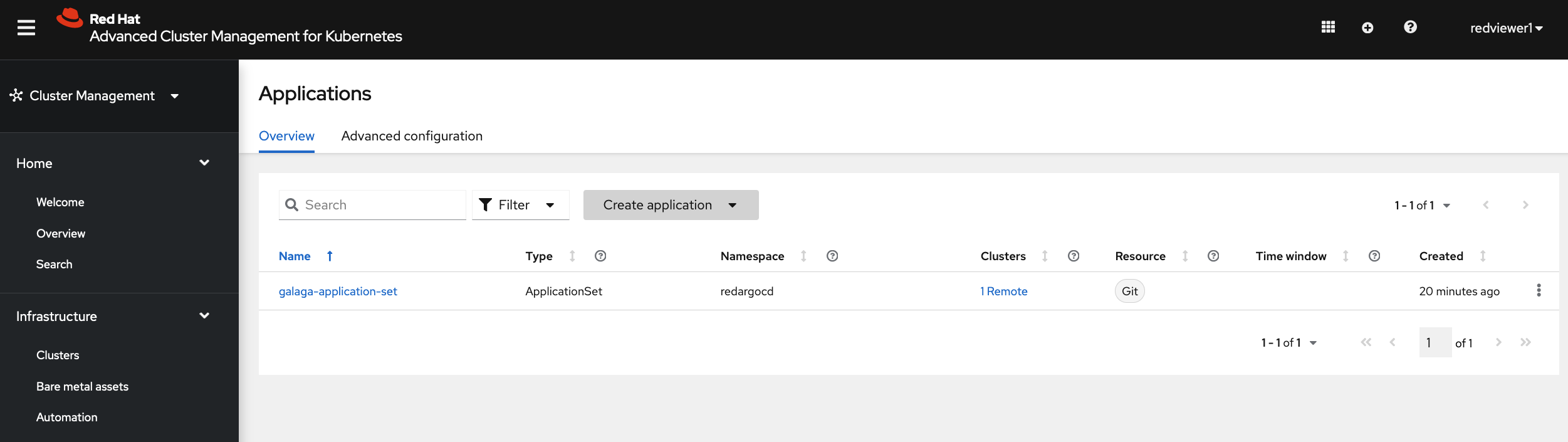
while ACM group users can visualize and manage all applications.
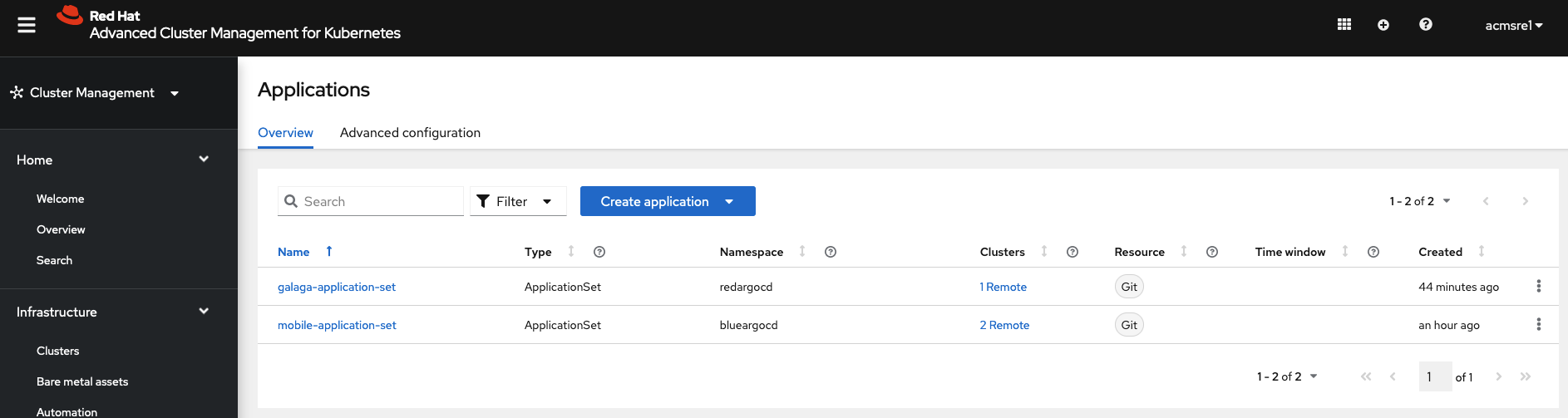
There are two separate ArgoCD consoles blueargocd redargocd with RBAC from step 9 so that one group cannot log into the other group's ArgoCD instance console to view or manage their applications.
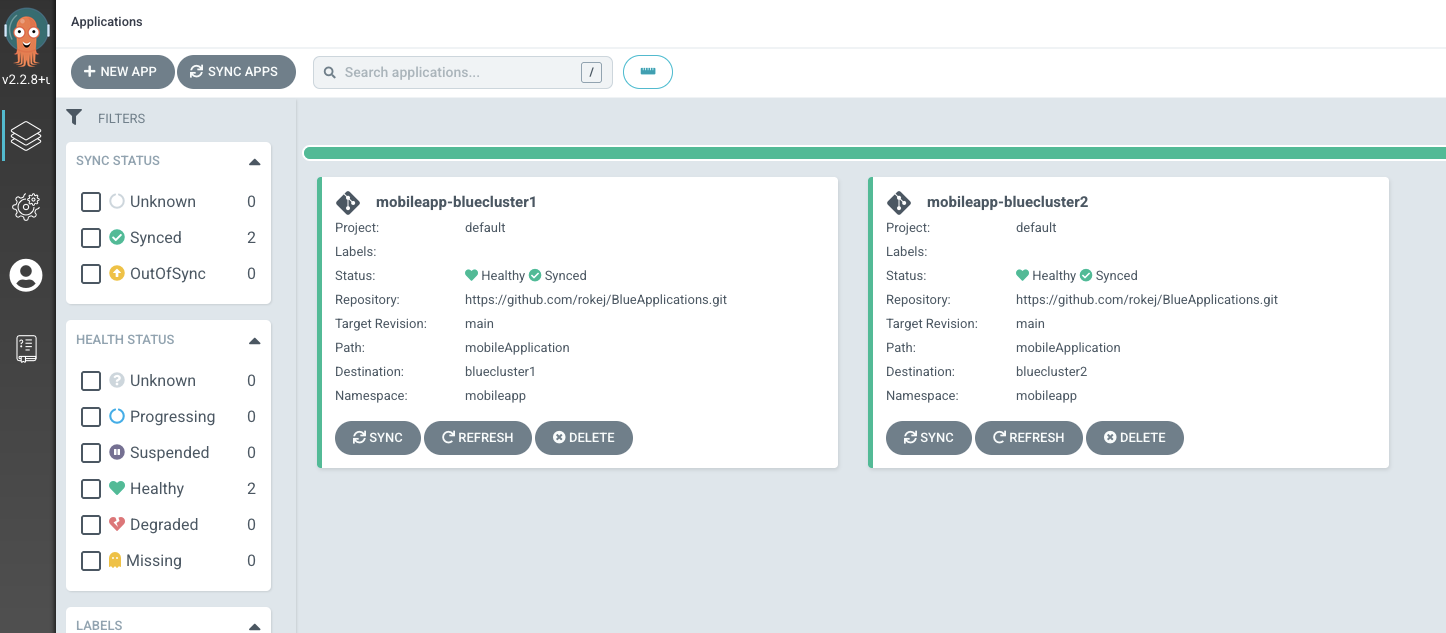
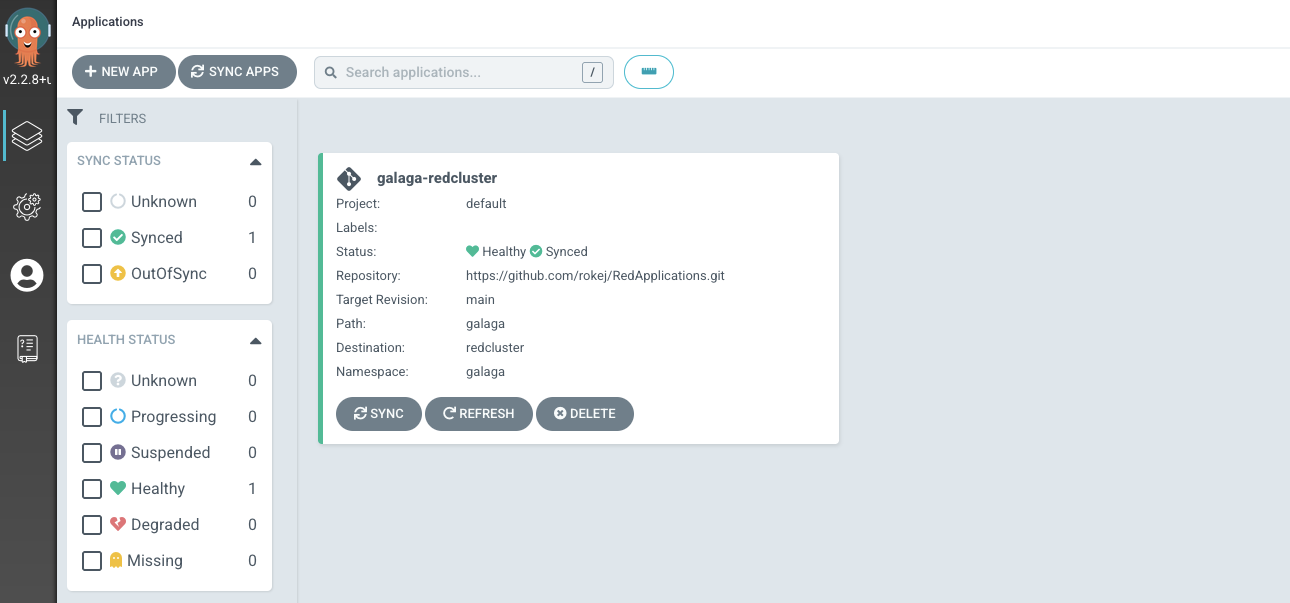
You can create, view and edit application sets from RHACM console. Also you can launch into ArgoCD console from RHACM console to managed the application.
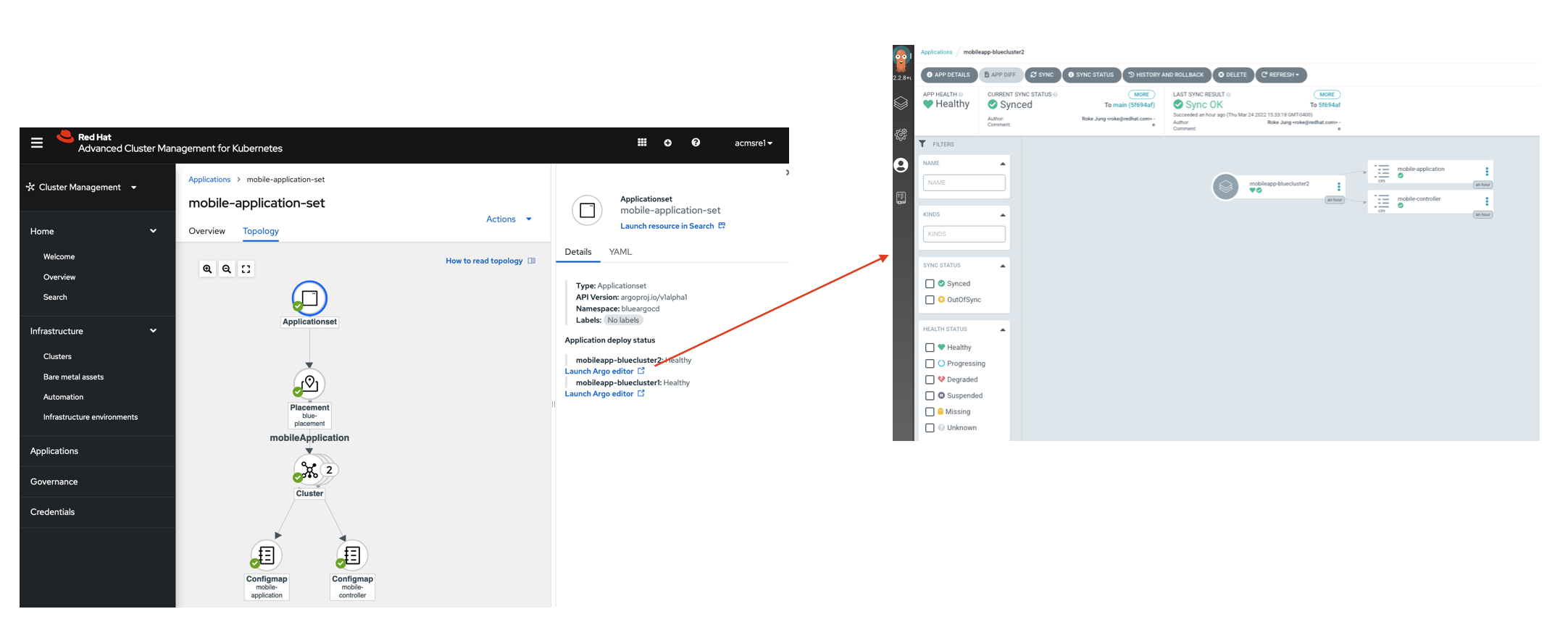
You can create, view and edit application sets from RHACM console. Also you can launch into ArgoCD console from RHACM console to managed the application.