Express Yourself. Share Your Vibe. Connect Freely.
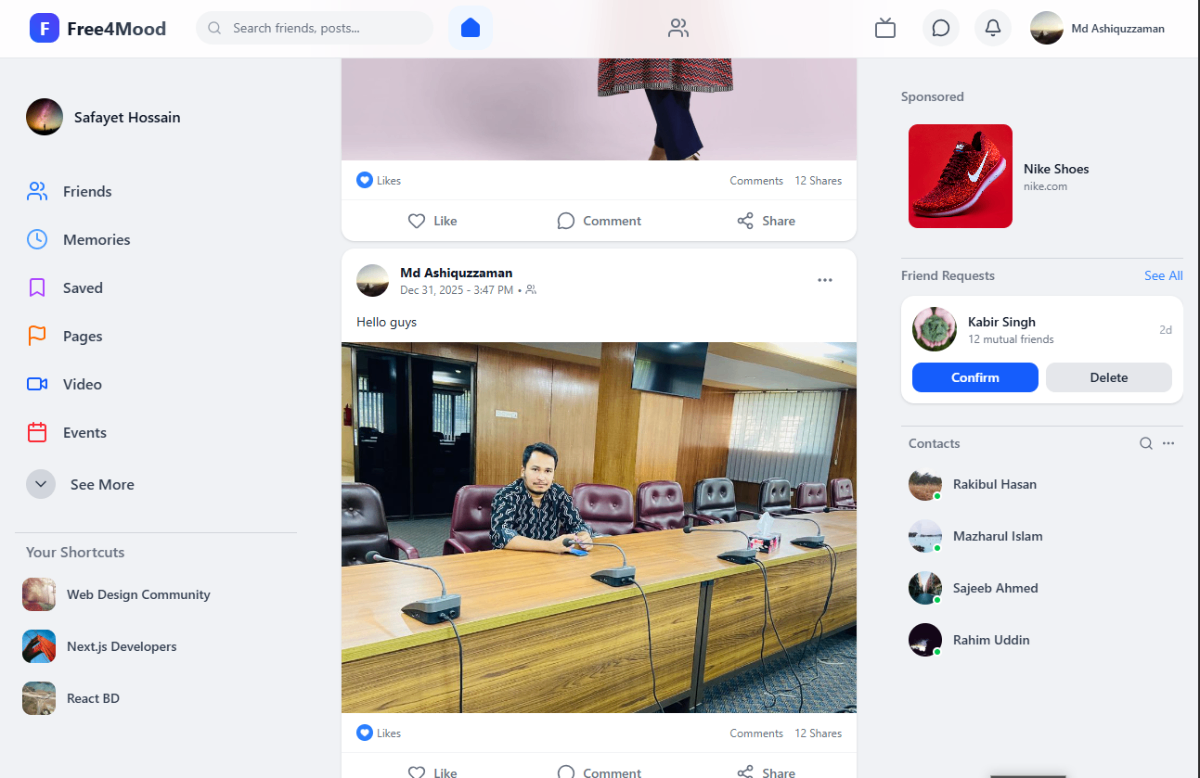
free4mood is a modern social media platform designed for instant mood sharing and community connection. Built for performance and scalability using Next.js and MongoDB.


- 🚀 About the Project
- ✨ Key Features
- 🛠️ Tech Stack
- 🏁 Getting Started
- 🤝 Contributing
- 📜 License
- 📬 Contact
free4mood redefines social interaction by focusing on how users feel in the moment. Unlike traditional static profiles, free4mood allows users to set dynamic "Mood Statuses" that drive the content they see and who they connect with.
We built this using Next.js to ensure lightning-fast page loads via Server-Side Rendering (SSR) and excellent SEO optimization, backed by the flexibility of MongoDB.
- ⚡ High Performance: Built on Next.js App Router for optimal speed.
- 🎭 Mood Status: Update your current vibe (Happy, Chill, Energetic) to filter your feed.
- 📱 Fully Responsive: Mobile-first design using Tailwind CSS.
- 🔐 Secure Auth: Integrated authentication via NextAuth.js.
- 💬 Real-Time Chat: Instant messaging capabilities.
- 🌑 Dark Mode: Automatic theme switching based on system preferences.
We use a modern, robust React-based stack.
| Category | Technology | Description |
|---|---|---|
| Framework |  |
Full-stack React Framework |
| Language |  |
Static Typing for Safety |
| Styling |  |
Utility-first CSS |
| State |  |
Minimalist State Management |
| Auth |  |
Authentication Solution |
| Database |  |
NoSQL Document Database |
| Deployment |  |
Hosting & Edge Functions |
Follow these instructions to set up free4mood on your local machine.
- Node.js (v18.17.0 or later)
- npm or pnpm or yarn
- MongoDB (Local instance or MongoDB Atlas URL)
-
Clone the repository
git clone [https://github.com/yourusername/free4mood.git](https://github.com/yourusername/free4mood.git) cd free4mood -
Install dependencies
npm install
# or
yarn install
# or
pnpm install
-
Configure Environment Create a
.env.localfile in the root directory and add your keys:MONGODB_URI="mongodb+srv://user:password@cluster.mongodb.net/free4mood" NEXTAUTH_SECRET="your-super-secret-key" NEXTAUTH_URL="http://localhost:3000"
-
Run the Development Server
npm run dev
Open http://localhost:3000 with your browser to see the result.
Contributions make the open-source community an amazing place to learn.
- Fork the Project
- Create your Feature Branch (
git checkout -b feature/NewMoodFeature) - Commit your Changes (
git commit -m 'Add NewMoodFeature') - Push to the Branch (
git push origin feature/NewMoodFeature) - Open a Pull Request
Distributed under the MIT License. See LICENSE for more information.
Your Name - @yourtwitter - email@example.com
Project Link: https://github.com/yourusername/free4mood