
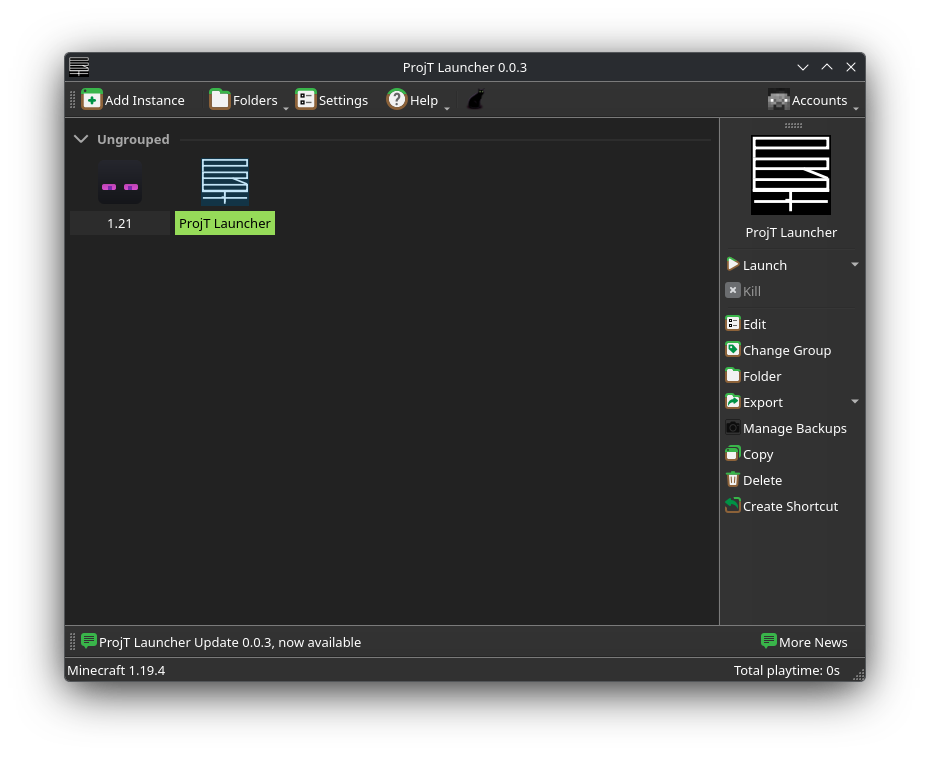
ProjT Launcher
A Minecraft launcher and automation stack that helps maintainers avoid missed updates,
security drift, and broken metadata in long-lived projects.
A fork of Prism Launcher, diverging on purpose to keep maintenance and infrastructure healthy over time.
Built for projects that rely on CI, automation, and long-term maintenance, often maintained by small teams or individuals.
Projects • Launcher Releases • Quick Starts • Contributing • License
This repo is a monorepo with the launcher and the pieces that keep it running:
- Launcher app (C++/Qt):
launcher/,CMakeLists.txt - Website (Eleventy):
website/,public/,package.json - Automation bot (Cloudflare Workers):
bot/ - Metadata generator (Python/Poetry):
meta/,pyproject.toml - Docs/CI/Tools:
docs/,ci/,.github/workflows/,scripts/,tools/ - Forked libraries:
bzip2/,quazip/,zlib/,libnbtplusplus/ - Bundled libraries:
gamemode/,LocalPeer/,murmur2/,qdcss/,rainbow/,systeminfo/ - Non Fork libraries:
launcherjava/
Warning
Forks are expected; large rebundling or CI changes should clearly document intent.
This README is intentionally a repository handbook. It centralizes project philosophy, infrastructure, and long-term maintenance documentation in one place.
This README serves multiple audiences and use cases.
-
Users:
If you are looking to install or use ProjT Launcher, focus on:- Launcher Releases
- Quick Starts
- Community & Support
-
Contributors:
If you plan to contribute code or documentation, read:- What is ProjT Launcher?
- Project Philosophy
- Design Goals
- Documentation
- Contributing
-
Packagers / Maintainers / Reviewers:
If you are reviewing this repository for distribution, licensing, or long-term maintenance, the following sections are relevant:- Forked Libraries (Detailed)
- CI & Automation
- License for ProjT Launcher
Sections documenting forked upstream projects are intentionally detailed and may be skipped by readers only interested in usage.
ProjT Launcher is a fork of Prism Launcher with a deliberate focus on long-term maintainability, structural clarity, and respect for upstream ecosystems. We care more about boring reliability than shipping features fast. Clean architecture, reproducible builds, disciplined CI, and packaging correctness across Linux, Windows, macOS, Nix, and Flatpak come first.
We keep the core experience familiar and diverge only when the original architecture or maintenance model makes long-term upkeep harder. That divergence is a practical choice, not a statement about upstream quality.
- Stability, clarity, and auditability come before new features.
- Changes should be traceable and maintainable years later.
- Infrastructure, tooling, CI, and refactors are first-class work.
- Packaging correctness and reproducible builds are non-negotiable.
- We prioritize long-term maintainability over short-term feature velocity.
- Maintain a modular architecture with clear boundaries and minimal hidden coupling.
- Keep CI deterministic, with consistent tooling across platforms and ecosystems.
- Prefer documented, repeatable solutions over clever but fragile shortcuts.
- Keep build and packaging workflows aligned with downstream expectations and policies.
- Developers who value maintainable codebases and long-lived infrastructure.
- Packagers and distro maintainers who need reproducible builds and clear conventions.
- Contributors who are comfortable with quiet, incremental work: refactors, CI, build tooling.
- Users who prefer stability and predictable behavior over rapid feature churn.
- Anyone prioritizing rapid feature churn over maintainability and clarity.
- Those expecting this fork to track upstream decisions, timelines, or design shortcuts.
- If you want the fastest new features, upstream may be a better fit.

ProjT Launcher is available in various package repositories. Check the badge above for current distributions and versions.
Note
Distribution availability varies and is maintained independently by downstream packagers.
- Official Releases: Download installers/binaries from GitHub Releases.
- Package Manager: Install your distro's
projtlauncherpackage (see the Repology badge above for availability). - Build from Source: Follow the launcher build steps below for a reproducible release build.
These are for testing and contributors only:
- CI Artifacts: Check GitHub Actions for builds.
- Nix Flake:
nix build .#projtlauncher - Local Build:
cmake -S . -B build && cmake --build build
- CMake 3.22+
- Qt 6.x
- C++20 compiler
- Git submodules
git clone --recursive https://github.com/YongDo-Hyun/ProjT-Launcher.git
cd ProjT-Launcher
cmake -B build -DCMAKE_BUILD_TYPE=Release
cmake --build build --config Release
For detailed instructions:
pnpm install
pnpm serve
The website source lives in website/, and the production output is built into public/.
See bot/README.md for secrets, endpoints, and deployment details.
Local smoke test:
cd bot
wrangler devProjT Launcher Meta by Yong Do-Hyun. Scripts to generate JSONs and jars that ProjT Launcher will access. The metadata generator lives in meta/ and is wired via pyproject.toml.
The old Flake-based NixOS deployment is removed. Use the GitHub Actions workflow in .github/workflows/auto-update.yml (hourly schedule + manual dispatch).
Secrets supported by the workflow:
DEPLOY_PAT(preferred, must have access tometa-upstreamandmeta-launcher)META_BOT_TOKEN(fallback if no PAT)DEPLOY_SSH_KEY_UPSTREAMandDEPLOY_SSH_KEY_LAUNCHER(SSH alternative)META_UPSTREAM_URLandMETA_LAUNCHER_URL(optional custom repo URLs)
Set META_UPSTREAM_URL and META_LAUNCHER_URL (or define them in config.sh), then:
python -m pip install -r requirements.txt
python -m pip install .
./init.sh
./update.shLauncher contributor docs:
- Getting Started: Setup your environment (Windows/Linux/macOS).
- Code Style: Strict rules for C++ and Qt Widgets.
- Project Structure: Where to put your files.
- Architecture: Understanding MVVM and the Task system.
- Architecture (Detailed): A guided tour of modules, data flow, and contracts.
- Workflow: How to submit a Pull Request.
- Testing: How to write and run tests.
Start with CONTRIBUTING.md for engineering standards and workflow. Project-specific notes:
- Launcher:
docs/contributing/andCMakeLists.txt - Website:
.eleventy.js,website/,package.json- To sync the website wiki to GitHub Wiki, use:
./scripts/sync-wiki.sh
- To sync the website wiki to GitHub Wiki, use:
- Bot:
bot/README.md - Metadata generator:
meta/,pyproject.toml
- ARM64 (Apple Silicon) is prioritized.
- Universal binaries work on Intel macOS but are deprecated.
- See APPLE_SILICON_RATIONALE.md for details.
- Issues: Report bugs or suggest features on GitHub.
- Translations: Use upstream Prism strings for now; own workflow coming.
- Community Spaces: Community channels may be announced in the future.
You can fork and redistribute freely under the GPL-3.0 license. For custom builds:
- Clearly state it's not official ProjT Launcher.
- Change API keys in
CMakeLists.txtto your own or disable them. - Set
Launcher_BUILD_PLATFORMfor distributions (e.g.,archlinux).
Building with default API keys implies acceptance of:
The following sections document components that are embedded directly in this monorepo to support ProjT Launcher’s long-term operation.
This includes:
- Forked upstream libraries
- CI tooling and local evaluation helpers
- Automation bots and PR infrastructure
These sections exist primarily for maintainers, packagers, and infrastructure reviewers.
If you are only interested in building or using the launcher, you can safely skip to the License section.
- Compression & IO: bzip2, zlib, quazip
- Core data formats: libnbt++
- Automation & CI: Cloudflare Workers bot, CI scripts, evaluation tooling
- Packaging & distribution: Nix, program_info
Lossless compression library used for BZip2 support.
This repository contains a fork of the upstream project and it now advances in its own tree; see upstream for the original source.
License: bzip2 license (BSD-like). See bzip2/COPYING.
Forked Source: https://gitlab.com/bzip2/bzip2
This is Bzip2/libbz2; a program and library for lossless, block-sorting data compression.
This document pertains to the Bzip2 feature development effort hosted on Github.com.
The documentation here may differ from that on the Bzip2 1.1 project page maintained by Micah Snyder on gitlab.com.
The documentation here may differ from that on the Bzip2 1.0.x project page maintained by Mark Wielaard on sourceware.org.
Copyright (C) 1996-2010 Julian Seward jseward@acm.org
Copyright (C) 2019-2020 Federico Mena Quintero federico@gnome.org
Copyright (C) 2021-2025 Micah Snyder.
Copyright (C) 2025 YongDo-Hyun.
Copyright (C) 2025 grxtor.
Please read the WARNING, DISCLAIMER and PATENTS sections in this file for important information.
This program is released under the terms of the license contained in the COPYING file.
This version is fully compatible with the previous public releases.
Complete documentation is available in Postscript form (manual.ps), PDF (manual.pdf) or HTML (manual.html). A plain-text version of the manual page is available as bzip2.txt.
The Bzip2 project is hosted on GitHub for feature development work. It can be found at https://github.com/Project-Tick/ProjT-Launcher.
Changes to be included in the next feature version are committed to the
develop branch.
Feature releases are maintained in release-* branches.
Long-term feature and experimental development will occur in feature branches. Feature branches are unstable. Feature branches may be rebased and force- pushed on occasion to keep them up-to-date and to resolve merge conflicts.
The rustify branch is a feature branch that represents an effort to
gradually port Bzip2 to Rust.
Please report bugs via GitHub Issues.
Before you create a new issue, please verify that no one else has already reported the same issue.
Please see the COMPILING.md file for details.
This includes instructions for building using Meson or CMake.
This program and library (attempts to) compress data by performing several non-trivial transformations on it. Unless you are 100% familiar with all the algorithms contained herein, and with the consequences of modifying them, you should NOT meddle with the compression or decompression machinery. Incorrect changes can and very likely will lead to disastrous loss of data.
Please contact the maintainers if you want to modify the algorithms.
I TAKE NO RESPONSIBILITY FOR ANY LOSS OF DATA ARISING FROM THE USE OF THIS PROGRAM/LIBRARY, HOWSOEVER CAUSED.
Every compression of a file implies an assumption that the compressed file can be decompressed to reproduce the original. Great efforts in design, coding and testing have been made to ensure that this program works correctly.
However, the complexity of the algorithms, and, in particular, the presence of various special cases in the code which occur with very low but non-zero probability make it impossible to rule out the possibility of bugs remaining in the program.
DO NOT COMPRESS ANY DATA WITH THIS PROGRAM UNLESS YOU ARE PREPARED TO ACCEPT THE POSSIBILITY, HOWEVER SMALL, THAT THE DATA WILL NOT BE RECOVERABLE.
That is not to say this program is inherently unreliable. Indeed, I very much hope the opposite is true. Bzip2/libbz2 has been carefully constructed and extensively tested.
To the best of my knowledge, Bzip2/libbz2 does not use any patented algorithms. However, I do not have the resources to carry out a patent search. Therefore I cannot give any guarantee of the above statement.
- Micah Snyder — upstream feature development (historical)
- YongDo-Hyun — ProjT Launcher fork maintenance

Forked Source: https://github.com/stachenov/quazip
Local docs: quazip/QuaZip-1.x-migration.md
QuaZip is the C++ wrapper for Gilles Vollant's ZIP/UNZIP package (AKA Minizip) using Qt library.
If you need to write files to a ZIP archive or read files from one using QIODevice API, QuaZip is exactly the kind of tool you need.
See the documentation for details.
Want to report a bug or ask for a feature? Open an issue.
Want to fix a bug or implement a new feature? See CONTRIBUTING.md.
You're a package maintainer and want to update to QuaZip 1.0? Read the migration guide.
Copyright notice:
Copyright (C) 2005-2020 Sergey A. Tachenov and contributors
Distributed under LGPL, full details in the COPYING file.
Original ZIP package is copyrighted by Gilles Vollant, see quazip/(un)zip.h files for details, but basically it's the zlib license.
You need at least the following dependencies:
- Qt6 or Qt5 (searched in that order)
sudo apt-get install libbz2-dev
cmake -B build
cmake --build buildWhen using Qt online installer on Windows with MSVC, make sure to select the box for MSVC 20XY 64-bit and under additional libraries, select Qt 5 Compatibility Module.
Finally, add C:\Qt\6.8.2\msvc20XY_64 to your PATH.
If you don't use a package manager you will have to add library and include directories to your PATH or specify them with CMAKE_PREFIX_PATH.
Qt is not installed as a dependency of either vcpkg or conan.
Using vcpkg
cmake --preset vcpkg
cmake --build build --config Release
Using conan v2
conan install . -of build -s build_type=Release -o *:shared=False --build=missing
cmake --preset conan
cmake --build build --config ReleaseOnly Qt5 is tested on x86.
Using vcpkg
cmake --preset vcpkg_x86
cmake --build build --config Release
Using conan v2
conan install . -of build -s build_type=Release -s:h arch=x86 -o *:shared=False --build=missing
cmake --preset conan_x86
cmake --build build --config ReleaseIf you built Qt from source and installed it, you might need to tell CMake where to find it, for example: -DCMAKE_PREFIX_PATH="/usr/local/Qt-6.8.2".
Alternatively, if you did not install the source build it might look something like: -DCMAKE_PREFIX_PATH="/home/you/qt-everywhere-src-6.8.2/qtbase/lib/cmake".
Replace qtbase if you used a custom prefix at configure step.
Qt installed through Linux distribution packages or official Qt online installer should be detected automatically.
CMake is used to configure and build the project. A typical configure, build, install and clean is shown below.
cmake -B build -DQUAZIP_QT_MAJOR_VERSION=6 -DBUILD_SHARED_LIBS=ON -DQUAZIP_ENABLE_TESTS=ON
cmake --build build --config Release
sudo cmake --install build
cd build
ctest --verbose -C Release
cmake --build . --target clean
CMake options
| Option | Description | Default |
|---|---|---|
QUAZIP_QT_MAJOR_VERSION |
Specifies which major Qt version should be searched for (6 or 5). By default it tries to find the most recent. | |
BUILD_SHARED_LIBS |
Build QuaZip as a shared library | ON |
QUAZIP_LIB_FILE_NAME |
Specifies output libname. | quazip<quazip-version>-qt<qt-version> |
QUAZIP_INSTALL |
Enable installation | ON |
QUAZIP_USE_QT_ZLIB |
Use Qt's bundled zlib instead of system zlib (not recommended). Qt must be built with -qt-zlib and -static. Incompatible with BUILD_SHARED_LIBS=ON. |
OFF |
QUAZIP_ENABLE_TESTS |
Build QuaZip tests | OFF |
QUAZIP_BZIP2 |
Enable BZIP2 compression | ON |
QUAZIP_BZIP2_STDIO |
Output BZIP2 errors to stdio when BZIP2 compression is enabled | ON |
QUAZIP_ENABLE_QTEXTCODEC |
Set to OFF to explicitely disable the use of QTextCodec on Qt6 even if Core5Compat is available. This uses QStringConverter in the background with less supported encodings. | ON |
Zlib is a general-purpose, lossless data-compression library used for ZIP and GZip functionality.
This repository contains a maintained fork of the upstream zlib project. The fork exists to allow controlled integration, CI validation, and long-term maintenance within the ProjT Launcher monorepo.
- License: zlib license (see
zlib/LICENSE) - Upstream project: https://zlib.net
- Upstream source: https://github.com/madler/zlib
- Fork base version: 1.3.1.2
This fork aims to stay as close to upstream as possible.
- Upstream releases are periodically reviewed and merged.
- Changes are limited to build integration, CI compatibility, or clearly documented fixes.
- Functional divergence from upstream is avoided unless required.
Any deviations from upstream behavior are documented explicitly.
- API reference:
zlib/zlib.h - FAQ:
zlib/FAQ - Change history:
zlib/ChangeLog
Zlib is built as part of the ProjT Launcher build. Upstream build systems are preserved for reference, but the primary build path is integrated into the monorepo tooling.
For upstream-specific build instructions, see https://zlib.net.
Zlib is licensed under the zlib license.
The full license text is included unmodified in zlib/LICENSE.
Original work: Copyright © 1995–2025 Jean-loup Gailly, Mark Adler
Modifications: Copyright © 2026 Project Tick contributors
This fork aims to stay as close to upstream as possible.
- Upstream releases are periodically reviewed and merged.
- Changes are limited to build integration, CI compatibility, or clearly documented fixes.
- Functional divergence from upstream is avoided unless required.
Any deviations from upstream behavior are documented explicitly.
- API reference:
zlib/zlib.h - FAQ:
zlib/FAQ - Change history:
zlib/ChangeLog
Zlib is built as part of the ProjT Launcher build. Upstream build systems are preserved for reference, but the primary build path is integrated into the monorepo tooling.
For upstream-specific build instructions, see https://zlib.net.
Zlib is licensed under the zlib license.
The full license text is included unmodified in zlib/LICENSE.
Original work:
Copyright © 1995–2025
Jean-loup Gailly, Mark Adler
Modifications:
Copyright © 2026
Project Tick contributors
A very simple program to print provided system properties.
Each argument is printed out as {arg}={System.getProperty(arg)}. If any properties are null,
they will not be printed and the program will exit with code 1.
This repository includes libnbt++ 3, the currently maintained version used by ProjT Launcher.
Earlier versions (libnbt++ and libnbt++2) are documented here for historical context only and are not used directly.
See forked github repo.
libnbt++ is a free C++ library for Minecraft's file format Named Binary Tag (NBT). It can read and write compressed and uncompressed NBT files and provides a code interface for working with NBT data.
libnbt++ 2 is a remake of the old libnbt++ library with the goal of making it more easily usable and fixing some problems. The old libnbt++ especially suffered from a very convoluted syntax and boilerplate code needed to work with NBT data.
libnbt++ 3 is a remake of the old libnbt++ 2 library with the goal of fixing some problems. The old libnbt++2 especially suffered from a very convoluted syntax and boilerplate code needed to work with NBT data.
This project uses CMake for building. Ensure you have CMake installed.
- C++11 compatible compiler
- CMake 3.15 or later
- ZLIB (optional, for compressed NBT support)
-
Clone the repository:
git clone https://github.com/Project-Tick/ProjT-Launcher.git cd ProjT-Launcher/libnbtplusplus -
Create a build directory:
mkdir build cd build -
Configure with CMake:
cmake ..
Options:
NBT_BUILD_SHARED=OFF(default): Build static libraryNBT_USE_ZLIB=ON(default): Enable zlib supportNBT_BUILD_TESTS=ON(default): Build tests
-
Build:
cmake --build . -
Install (optional):
cmake --install .
Include the headers and link against the library.
#include <nbt_tags.h>
#include <fstream>
#include <iostream>

int main() {
    // Read an NBT file
    std::ifstream file("example.nbt", std::ios::binary);
    nbt::tag_compound root = nbt::io::read_compound(file).first;

    // Access data
    std::cout << root["some_key"].as<nbt::tag_string>() << std::endl;

    return 0;
}This project is licensed under the GNU General Public License v3.0. See the COPYING file for details.
Java launcher part for Minecraft.
It does the following:
- Waits for a launch script on stdin.
- Consumes the launch script you feed it.
- Proceeds with launch when it gets the
launchercommand.
If "abort" is sent, the process will exit.
This means the process is essentially idle until the final command is sent. You can, for example, attach a profiler before you send it.
The standard and legacy launchers are available.
standardcan handle launching any Minecraft version, at the cost of some extra featureslegacyenables (custom window icon and title).legacyis intended for use with Minecraft versions < 1.6 and is deprecated.
Example (some parts have been censored):
mod legacyjavafixer-1.0
mainClass net.minecraft.launchwrapper.Launch
param --username
param CENSORED
param --version
param ProjT Launcher
param --gameDir
param /home/peterix/minecraft/FTB/17ForgeTest/minecraft
param --assetsDir
param /home/peterix/minecraft/mmc5/assets
param --assetIndex
param 1.7.10
param --uuid
param CENSORED
param --accessToken
param CENSORED
param --userProperties
param {}
param --userType
param mojang
param --tweakClass
param cpw.mods.fml.common.launcher.FMLTweaker
windowTitle ProjT Launcher: 172ForgeTest
windowParams 854x480
userName CENSORED
sessionId token:CENSORED:CENSORED
launcher standard
Available under 

This directory contains a Cloudflare Worker that can auto-label GitHub pull requests (similar to the CI bot).
GET /orGET /healthz: health checkPOST /github/webhook: GitHub webhook receiver (requires signature)POST /runorGET /run: manual run (requiresAuthorization: Bearer <ADMIN_TOKEN>)issue_commentwebhook:bot rerun/bot labels(or/bot rerun) triggers re-label for that PR (author association must be owner/member/collaborator by default). SetBOT_COMMENT_ON_COMMAND=trueto let the bot reply with a short summary.
Set these as Worker secrets (choose ONE auth method):
PAT (simple):
GITHUB_TOKEN: token with permission to add/create labels (repo access as needed)
GitHub App (recommended for non-personal auth):
GITHUB_APP_IDGITHUB_APP_INSTALLATION_IDGITHUB_APP_PRIVATE_KEY(PKCS#8 PEM; use\nfor newlines when pasting)BOT_LOGIN(optional): set to your app slug so the bot can recognize/update its own comments
Common secrets:
GITHUB_WEBHOOK_SECRET: the webhook secret configured in GitHubADMIN_TOKEN: (optional but recommended) protects/runBOT_COMMENT_ON_COMMAND: (optional)trueto comment after handlingissue_commentcommandsBOT_ALLOWED_ASSOCIATIONS: (optional) comma-separated GitHub author_association values allowed to run commands (default:OWNER,MEMBER,COLLABORATOR)BOT_ALWAYS_REVIEWERS: (optional) comma-separated GitHub usernames to always request as reviewers (in addition to maintainers fromci/eval/compare/maintainers.nix)BOT_CRON_MAX_PRS: (optional) max PRs to scan per cron run (useful on tight CPU plans)BOT_CRON_LIGHT: (optional)trueto skip DCO checks, CI summaries, reviewer requests, and auto-merge during cron runs
Example (local):
cd bot
wrangler secret put GITHUB_TOKEN
wrangler secret put GITHUB_WEBHOOK_SECRET
wrangler secret put ADMIN_TOKENcd bot
wrangler dev
curl -sS http://localhost:8787/healthz
curl -sS -H "Authorization: Bearer $ADMIN_TOKEN" "http://localhost:8787/run?pr=123"Defined in bot/wrangler.json:
GITHUB_OWNER(default:Project-Tick)GITHUB_REPO(default:ProjT-Launcher)BOT_DRY_RUN(true/false)BOT_CRON_MAX_PRS(optional, numeric limit for scheduled runs)BOT_CRON_LIGHT(optional, reduce work in scheduled runs)
The bot validates that each non-bot commit in a PR includes Signed-off-by:. If any are missing, it applies the status:dco-missing label (created automatically if needed). Bot commits ([bot], Project Tick Bot, or *@bot.*) are exempt.
If a PR checks any options in the Scope section of .github/pull_request_template.md, the bot adds corresponding 31.scope:* labels (created automatically if needed).
The bot posts or updates a PR CI Summary comment based on the latest pull-request-target.yml run for the PR. It requires actions:read in addition to issues/labels write access.
Create a GitHub webhook pointing to:
- Payload URL:
https://<your-worker-domain>/github/webhook - Content type:
application/json - Secret: same as
GITHUB_WEBHOOK_SECRET - Events:
Pull requests(at minimum)
Cloudflare handles deploys via the existing webhook/automation pipeline, so no GitHub Actions workflow is required in this repo. Use wrangler deploy locally only for manual smoke tests.
We use cachix to cache our development and release builds.
If you want to avoid rebuilds you may add the Cachix bucket to your substitutors, or use --accept-flake-config
to temporarily enable it when using nix commands.
Example (NixOS):
{
  nix.settings = {
    trusted-substituters = [ "https://cache.projecttick.org.tr" ];

    trusted-public-keys = [
      "cache.projecttick.org.tr-1:HrpR1buYLhqx0ooS1rMgyHChoYf+faZm82hsIY6JS+s="
    ];
  };
}After adding github:Project-Tick/ProjT-Launcher to your flake inputs, you can access the flake's packages output.
Example:
{
  inputs = {
    nixpkgs.url = "github:NixOS/nixpkgs/nixos-unstable";

    projtlauncher = {
      url = "github:Project-Tick/ProjT-Launcher";

      # Optional: Override the nixpkgs input of projtlauncher to use the same revision as the rest of your flake
      # Note that this may break the reproducibility mentioned above, and you might not be able to access the binary cache
      #
      # inputs.nixpkgs.follows = "nixpkgs";
    };
  };

  outputs =
    { nixpkgs, projtlauncher, ... }:
    {
      nixosConfigurations.foo = nixpkgs.lib.nixosSystem {
        modules = [
          ./configuration.nix

          (
            { pkgs, ... }:
            {
              environment.systemPackages = [ projtlauncher.packages.${pkgs.system}.projtlauncher ];
            }
          )
        ];
      };
    };
}Alternatively, if you don't want to use our packages output, you can add our overlay to your nixpkgs instance.
This will ensure ProjT Launcher is built with your system's packages.
Warning
Depending on what revision of nixpkgs your system uses, this may result in binaries that differ from the above packages output
If this is the case, you will not be able to use the binary cache
Example:
{
  inputs = {
    nixpkgs.url = "github:NixOS/nixpkgs/nixos-unstable";

    projtlauncher = {
      url = "github:Project-Tick/ProjT-Launcher";

      # Optional: Override the nixpkgs input of projtlauncher to use the same revision as the rest of your flake
      # Note that this may break the reproducibility mentioned above, and you might not be able to access the binary cache
      #
      # inputs.nixpkgs.follows = "nixpkgs";
    };
  };

  outputs =
    { nixpkgs, projtlauncher, ... }:
    {
      nixosConfigurations.foo = nixpkgs.lib.nixosSystem {
        modules = [
          ./configuration.nix

          (
            { pkgs, ... }:
            {
              nixpkgs.overlays = [ projtlauncher.overlays.default ];

              environment.systemPackages = [ pkgs.projtlauncher ];
            }
          )
        ];
      };
    };
}You can simply call the default package of this flake.
Example:
nix run github:Project-Tick/ProjT-Launcher

nix shell github:Project-Tick/ProjT-Launcher

nix profile install github:Project-Tick/ProjT-LauncherWe use Cachix to cache our development and release builds. If you want to avoid rebuilds you may add the Cachix bucket to your substitutors.
Example (NixOS):
{
  nix.settings = {
    trusted-substituters = [ "https://cache.projecttick.org.tr" ];

    trusted-public-keys = [
      "cache.projecttick.org.tr-1:HrpR1buYLhqx0ooS1rMgyHChoYf+faZm82hsIY6JS+s="
    ];
  };
}We use flake-compat to allow using this Flake on a system that doesn't use flakes.
Example:
{ pkgs, ... }:
{
  environment.systemPackages = [
    (import (
      builtins.fetchTarball "https://github.com/Project-Tick/ProjT-Launcher/archive/develop.tar.gz"
    )).packages.${pkgs.system}.projtlauncher
  ];
}Alternatively, if you don't want to use our packages output, you can add our overlay to your instance of nixpkgs.
This results in ProjT Launcher using your system's libraries
Example:
{ pkgs, ... }:
{
  nixpkgs.overlays = [
    (import (
      builtins.fetchTarball "https://github.com/Project-Tick/ProjT-Launcher/archive/develop.tar.gz"
    )).overlays.default
  ];

  environment.systemPackages = [ pkgs.projtlauncher ];
}You can add this repository as a channel and install its packages that way.
Example:
nix-channel --add https://github.com/Project-Tick/ProjT-Launcher/archive/develop.tar.gz projtlauncher

nix-channel --update projtlauncher

nix-env -iA projtlauncher.projtlauncherBoth Nixpkgs and this repository offer the following packages:
projtlauncher- The preferred build, wrapped with everything necessary to run the launcher and Minecraftprojtlauncher-unwrapped- A minimal build that allows for advanced customization of the launcher's runtime environment
The wrapped package (projtlauncher) offers some build parameters to further customize the launcher's environment.
The following parameters can be overridden:
additionalLibs(default:[ ]) Additional libraries that will be added toLD_LIBRARY_PATHadditionalPrograms(default:[ ]) Additional libraries that will be added toPATHcontrollerSupport(default:isLinux) Turn on/off support for controllers on Linux (macOS will always have this)gamemodeSupport(default:isLinux) Turn on/off support for Feral GameMode on Linuxjdks(default:[ jdk21 jdk17 jdk8 ]) Java runtimes added toPROJTLAUNCHER_JAVA_PATHSvariablemsaClientID(default:null, requires full rebuild!) Client ID used for Microsoft AuthenticationtextToSpeechSupport(default:isLinux) Turn on/off support for text-to-speech on Linux (macOS will always have this)
This is ProjT Launcher's program info which contains information about:
- Application name and logo (and branding in general)
- Various URLs and API endpoints
- Desktop file
This directory contains support files and scripts used by CI/CD for the ProjT Launcher repository.
- GitHub Actions workflows in
.github/workflows/(CI automation, PR tooling) - Nix helpers for local development and validation (
ci/default.nix,ci/eval/,ci/parse.nix) - PR automation scripts (
ci/github-script/)
ci/code-quality.sh: Local PR-style checks between HEAD and a base branchci/default.nix: Nix dev environment with build dependenciesci/pinned.json: Reference versions for tooling/CI runners
# Compare your current branch against develop
./ci/code-quality.sh develop

# Enter Nix dev shell (if you use Nix)
nix develop -f ci/default.nixThis directory contains Nix helpers for validating repository configuration locally (and can be wired into CI if desired).
This evaluation module performs:
- CMakeLists.txt syntax validation
- vcpkg.json dependency verification
- Nix flake structure checking
- Build configuration validation across platforms
# Validate project structure
nix-build ci -A eval.validate

# Check specific component
nix-build ci -A eval.cmake
nix-build ci -A eval.vcpkg
nix-build ci -A eval.nix# Run complete evaluation
nix-build ci -A eval.fullEvaluation is performed for the following platforms:
x86_64-linux- Linux (64-bit)x86_64-darwin- macOS Intelaarch64-darwin- macOS Apple Siliconx86_64-windows- Windows (via cross-compilation)
The following arguments can be used:
--arg quickTest true: Enable quick validation mode--arg systems '["x86_64-linux"]': Limit to specific systems
The evaluation checks:
CMakeLists.txt- Main build configurationcmake/*.cmake- CMake modulesCMakePresets.json- Build presets
vcpkg.json- vcpkg dependenciesvcpkg-configuration.json- vcpkg settings
flake.nix- Nix flake definitiondefault.nix- Default Nix expressionshell.nix- Development shell
Evaluation now runs automatically in .github/workflows/eval.yml. The workflow installs Nix on ubuntu-latest, evaluates the module with nix-build --expr 'let pkgs = import <nixpkgs> {}; eval = (import ./ci/eval { inherit (pkgs) lib runCommand cmake nix jq; }) {}; in eval.full', and publishes the generated summary to the workflow run. Trigger it manually with Run workflow or let it execute on every pull request. You can mirror the same steps locally with:
NIX_PATH=nixpkgs=channel:nixos-unstable \
nix-build --expr 'let pkgs = import <nixpkgs> {}; eval = (import ./ci/eval { inherit (pkgs) lib runCommand cmake nix jq; }) {}; in eval.full'
cat result/summary.mdThis folder contains actions/github-script-based JavaScript code for CI automation.
These scripts automate various GitHub workflow tasks:
- PR validation and labeling
- Commit message checking
- Automated reviews
- Branch management
- Node.js 18+
ghCLI authenticated
cd ci/github-script
npm installValidates commit messages in a PR:
./run commits YongDo-Hyun ProjT-Launcher 123Validates PR labels:
./run labels YongDo-Hyun ProjT-Launcher|Script|Description|
|bot.js|Main bot logic for PR automation|
|commits.js|Commit message validation|
|merge.js|Merge queue handling|
|prepare.js|PR preparation checks|
|reviewers.js|Automatic reviewer assignment|
|reviews.js|Review status checking|
|withRateLimit.js|GitHub API rate limiting|
Scripts use environment variables:
GITHUB_TOKEN: GitHub API tokenGITHUB_REPOSITORY: Repository inowner/repoformat
These scripts are called from GitHub Actions workflows in .github/workflows/.
These include minimal Qt built from source with -qt-zlib option to test -DQUAZIP_USE_QT_ZLIB=ON builds.
jurplel/install-qt-action is essentially a binary downloader from Qt and does not have all options available.
This directory contains workflow configurations for the ProjT Launcher CI/CD pipeline.
The workflows are organized by functionality:
ci.yml: Very Ci needs is herescorecard.yml: OSSF Scorecard analysis and SARIF uploadclusterfuzzlite.yml: ClusterFuzzLite fuzzing runs (libFuzzer targets)python-fuzz.yml: Python Atheris fuzzing runs (meta/)js-fuzz.yml: JavaScript property fuzzing runs (bot/)
- Most workflows use standard
pushevents to develop/release branches - This allows external contributors to test workflows without prior approval
- Workflows use
pull_requestevent type (notpull_request_target) - Code review and approval by maintainers protects the repository
- Workflows use path filters to avoid unnecessary runs
- For example,
build.ymlonly runs when C++, CMake, or workflow files change
Each workflow file contains:
- Trigger conditions (on: events)
- Permissions (least privilege principle)
- Jobs with specific steps
- Environment variables for consistency
- uses: actions/checkout@8e8c483db84b4bee98b60c0593521ed34d9990e8
  with:
fetch-depth: 0 # Full history for git operations- name: Step name
if: github.ref_type == 'tag' # Only run on tags
run: echo "Release build"- uses: actions/upload-artifact@b7c566a772e6b6bfb58ed0dc250532a479d7789f
with:
name: build-artifacts
path: build/launcherFor most workflows, you can test locally using:
# Lint check
clang-format -i launcher/**/*.cpp launcher/**/*.h

# Build test
cmake --preset linux && cmake --build --preset linux

# Flake check (if using Nix)
nix flake checkWhen adding new workflows:
- Follow the naming convention: lowercase, hyphens for spaces
- Use path filters to avoid unnecessary runs
- Apply least privilege permissions
- Use github.token by default (avoid elevated privileges)
- Add documentation in this README
- Workflow not triggering: Check path filters and branch configuration
- Permission denied errors: Verify permissions: section
- Tests failing locally but passing in CI: Check environment differences (dependencies, paths)
- Slow workflows: Consider using caching or parallelization
This section lists third‑party/external libraries required by other components in this repository. Each entry includes the library name, its purpose in the repo, license information, and a source URL.
A performance optimization daemon.
See github repo.

Library for making only one instance of the application run at all times.

Changes are made to make the code more generic and useful in less usual conditions.
Canonical implementation of the murmur2 hash, taken from SMHasher.
Public domain (the author disclaimed the copyright).
Color functions extracted from KGuiAddons. Used for adaptive text coloring.
Available either under

A ProjT Launcher-specific library for probing system information.
A quick and dirty css parser, used by NilLoader to store mod metadata.
Translated (and heavily trimmed down) from the original Java code from NilLoader
Licensed under 
Code:
Assets: CC BY-SA 4.0
Code: 
Code:

Maintained by the Project Tick contributors.