LoopThroughLoss is a first-person narrative game exploring the emotional journey through grief, developed during a game jam organized by students at Hive Helsinki. The theme of the jam was "Time Loop".
This short psychological experience takes you through looping inner thoughts, representing the five stages of grief:
Denial, Anger, Bargaining, Depression, and Acceptance.
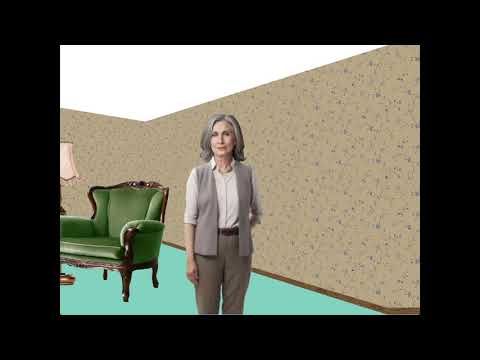
Click the image above to watch a the full playthrough of the game on Youtube!
The game reuses the raycasting engine from my Cub3D, adapted to work with the powerful Raylib graphics library.
While the rendering was based on existing techniques, the team focused their efforts on:
- Game logic and mechanics
- Atmosphere and emotional storytelling
- Custom textures and sound design
1. Download the game from the Itch.io page 2. Unzip the folder 3. Open a terminal and navigate to the game folder:
cd path/to/LoopThroughLoss
LoopThroughLoss maps/LoopThroughLoss.cub
4.
1. Open a terminal. 2. Clone the repository with submodules:
git clone --recurse-submodules https://github.com/To0nsa/LoopThroughLoss.git
cd LoopThroughLoss
3. Build and run:
make check-deps   # Verify required packages are installed
make setup        # Install system dependencies (if needed)
make              # Build the executable
./LoopThroughLoss maps/LoopThroughLoss.cub
4. Optional cleanup:
make clean        # Remove object files and dependencies
make fclean       # Clean everything including the binary
make re # Full rebuild from scratchBuild the game for the browser using Emscripten + CMake. The repository ships with a CMakeLists.txt that supports both native and Web builds.
- Install Emscripten (emsdk):
git clone https://github.com/emscripten-core/emsdk.git
cd emsdk
./emsdk install latest
./emsdk activate latest
source ./emsdk_env.sh- Configure the Web build with CMake via
emcmake:
cd /path/to/LoopThroughLoss
emcmake cmake -S . -B build-web -DCMAKE_BUILD_TYPE=Release- Build:
cmake --build build-web -jThis produces build-web/index.html (plus .js, .wasm, and .data files). Assets in assets/ and maps in maps/ are preloaded automatically.
- Test locally (optional):
emrun build-web/index.htmlOr use Python's HTTP server:
python3 -m http.server -d build-web 8000Then open http://localhost:8000 in your browser.
This project is licensed under the MIT License. You're free to use, modify, and distribute this code for academic, personal, or professional purposes. Attribution is appreciated but not required.
Developper:
Graphic designers:
Sound designer:
Feedback or questions? Feel free to reach out via email: nicolas.lovis@hotmail.fr Or open an issue / leave a comment on the GitHub repository.