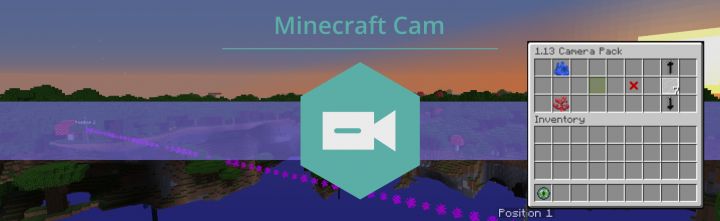
Minecraft Cam is a small vanilla package that makes the usage of custom camera paths much easier in 1.13. It is as simple as setting your start point, end point and entering the duration and the whole path will be calculated for you. But this tool is not only extremly helpful making videos and cinematics, it has an api for mapmakers and developers who want to intregrate a camera path into their creations. You are curious? Then read further how to get it working.
Installation is as simple as it sounds. No need for any modloaders or custom installers. The only thing what you need is the recent version of Minecraft 1.13(Snapshots). Open your world settings and click on "Open World Folder". Enter your world and copy the downloaded zip-file into the /datapacks folder. Now type "/reload" in the chat and a message apears.
If you have McScript installed, just run
mcscript add mccamin your world folder and you are ready to start.
Version: 18w14a
- works great with any map or other datapack together
- Multiplayer not supported!
- No support for multiple paths
The best way to use the tool for a ordinary user is the custom inventar(GUI). To get it working type:
/give @s ender_eye{Unbreakable:1b}
If you hold it a chest apears. Take items out to interact. On the left side you can set the positions with the corals. Set your aimed duration in seconds(hold shift and leftclick to increase/decrease). With the green glass the path can be started. And when you are finshed the points can be deleted through the barrier.
The path will be prerendered and is displayed with particles:
To disable them run this command: /tag @s add camNoParticles
The camera is fixed. If you want to move while it is running give yourself this tag: /tag @s add camNotFixed
To disable the calculated rotation and pan your camera freely add this tag: /tag @s add camNoRot
You are getting small status messages. If they are anoying type : /tag @s add camNoText
But the Camera package can be used not only with the GUI, it is also controllable through commands, commandblocks and custom datapacks. So the whole system and automatic calculation can be used in your gamemap or adventure map to get an exordinay effect.
/function cam:pos1 - sets the first position to the current position
/function cam:pos2 - sets the second position to the current position
use ˋexecute at [x] [y] [z] rotated [h] [v] run function cam:posˋ to set the position to a coordinate
/function cam:start - starts the path for the executing entity
/function cam:stop - cancels the path
/function cam:remove - removes the points
/function cam:help - opens a small help menu
When the camera path ends the entity gets the camOnStop tag. The moment can be catched with ˋexecute as @a[tag=camOnStop] run ...ˋ and then further actions or another camera path can be executed.
So have fun and create creative things with this small tool. This package is coded in McScript, my own programming language for minecraft maps and datapacks. If it sounds interesting check it out here.
# start the camera path in a seperate function
tag @s add camNoParticles
tag @s add camNoText
scoreboard players set @s camTime 5
execute positioned -469 70 1198 rotated -90 60 run function cam:pos1
execute positioned -410 93 1198 rotated -147 26 run function cam:pos2

tag @s add path1

function cam:start
And listen to the camOnStop tag to add multiple paths:
...

execute as @a[tag=path2,tag=camOnStop] at @s run scoreboard players set @s camTime 4

execute as @a[tag=path2,tag=camOnStop] at @s run execute positioned -445 36 1004 rotated 128 14 run function cam:pos1
execute as @a[tag=path2,tag=camOnStop] at @s run execute positioned -436 36 995 rotated -166 10 run function cam:pos2

execute as @a[tag=path2,tag=camOnStop] at @s run tag @s add path3
execute as @a[tag=path2,tag=camOnStop] at @s run function cam:start
execute as @a[tag=path2,tag=camOnStop] at @s run tag @s remove path2


execute as @a[tag=path1,tag=camOnStop] at @s run scoreboard players set @s camTime 8

execute as @a[tag=path1,tag=camOnStop] at @s run execute positioned -369 50 1126 rotated 144 12 run function cam:pos1
execute as @a[tag=path1,tag=camOnStop] at @s run execute positioned -421 43 1059 rotated 140 19 run function cam:pos2

execute as @a[tag=path1,tag=camOnStop] at @s run tag @s add path2
execute as @a[tag=path1,tag=camOnStop] at @s run function cam:start
execute as @a[tag=path1,tag=camOnStop] at @s run tag @s remove path1
Thank you for your attentition and I hope this tool helps you to record videos or integrate it into your Minecraft Map.