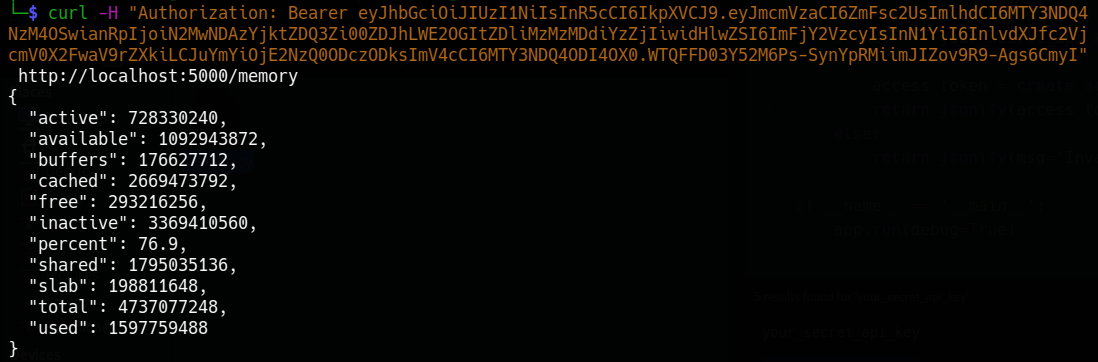
This script is an API that exposes system information such as CPU usage, memory and disk usage via endpoints protected by JSON Web Tokens (JWT) tokens, it also includes a login endpoint for getting the tokens.
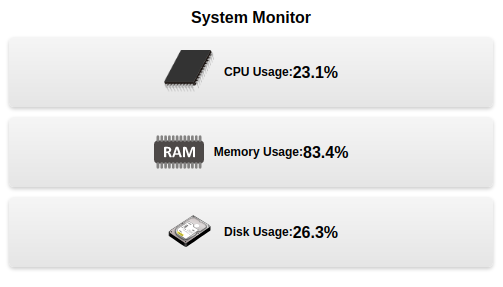
Image: Example front-end (HTML + JS)
These instructions will get you a copy of the project up and running on your local machine for development and testing purposes.
You need to have python3 installed on your machine, you can download it from here
You also need to install the following libraries:
- Flask
- psutil
- flask_jwt_extended
You can install them by running the following command:
pip install Flask psutil flask_jwt_extended
You can run the script by navigating to the directory where the script is located and running the following command:
python3 script.py
The API has the following endpoints:
/: a welcome message/cpu: returns the current CPU usage in percentage/memory: returns the current memory usage information/disk: returns the current disk usage information/login: takes a JSON payload containing the secret key and returns an access token if the key is valid
To access the endpoints /cpu, /memory and /disk, you need to have a valid access token. You can get an access token by making a POST request to the /login endpoint with a JSON payload containing the secret key.
Here's an example of how you can use curl to make a POST request to the /login endpoint to get an access token:
curl -H "Content-Type: application/json" -X POST -d '{"key":"your_secret_api_key"}' http://localhost:5000/login
Once you have the access token, you can use it to make requests to the protected endpoints by adding it to the Authorization header like this:
curl -H "Authorization: Bearer ACCESS_TOKEN" http://localhost:5000/cpu
curl -H "Authorization: Bearer ACCESS_TOKEN" http://localhost:5000/memory
curl -H "Authorization: Bearer ACCESS_TOKEN" http://localhost:5000/disk
Please keep in mind that you should replace 'your_secret_api_key' with the actual key you have defined in your script and also replace 'ACCESS_TOKEN' with the actual token you get after the login request.
- The secret key is defined in the script as
'your_secret_api_key'you need to change it to your desired key - The access token has a certain lifespan, usually a few minutes, and after that, it will expire and you will have to request a new token.
- Flask - The web framework used
- psutil - library for retrieving system information
- [flask_jwt_extended](https://